- To check the total number of user licenses used and available, users with the Company Admin role can follow these steps:
- Click on the Hamburger Menu icon.
- Select Admin -> User Management from the menu options to visit Manage Users page.
- Click on the blue down arrow to expand options.
- Navigate to and click on Product Details.
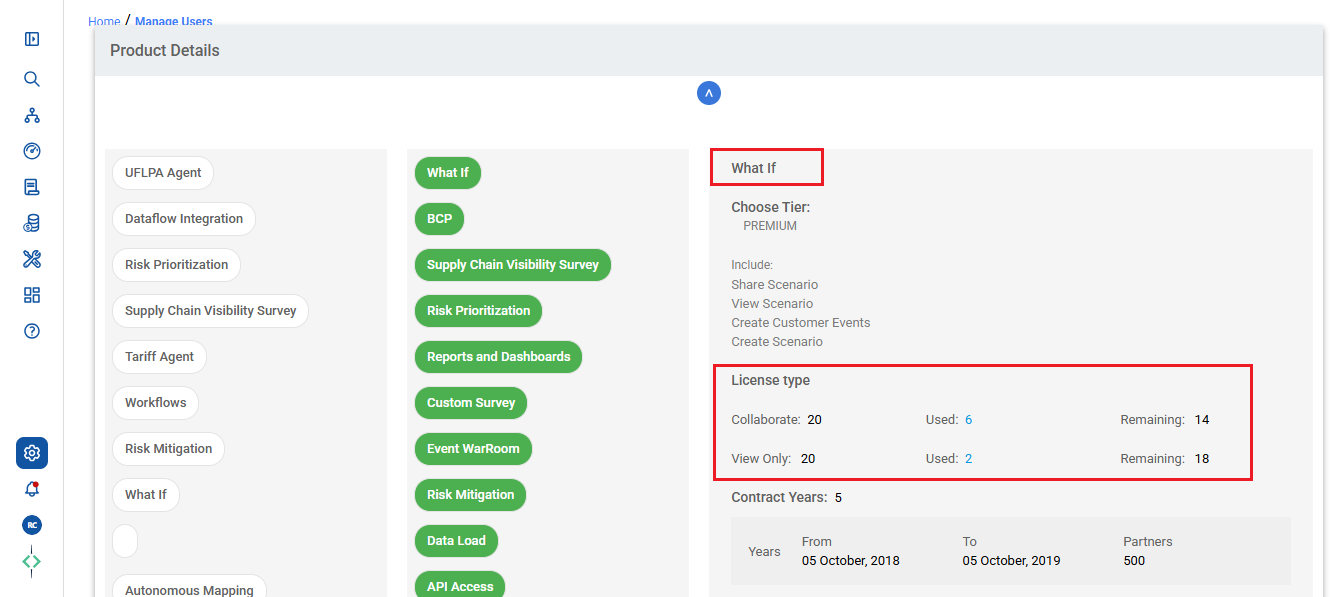
- On the Product Details page, you will find the information detailing the total number of user licenses that have been used and the number that are still available for each product.
- This path provides Company Admins with easy access to monitor and manage user license utilization effectively.
- Click on each individual product to check total number of user licenses used and the number of available licenses.
Was this article helpful?
That’s Great!
Thank you for your feedback
Sorry! We couldn't be helpful
Thank you for your feedback
Feedback sent
We appreciate your effort and will try to fix the article