- Users can edit the following details in their profile:
- First Name
- Last Name
- Title
- Phone
- Resident Flag
- Profile Picture
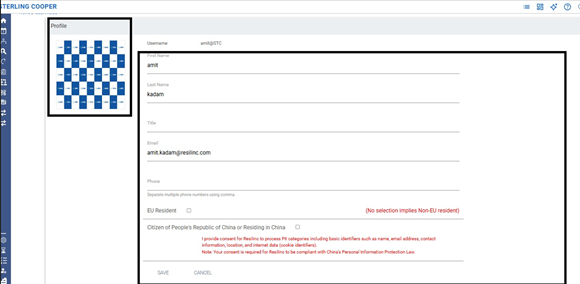
- Exception:
- The Username field cannot be edited by the user.
- to update the username, please reach out to the Resilinc Customer Support Team by emailing customersupport@resilinc.ai or by submitting a support ticket through the Customer Support Hub.
Was this article helpful?
That’s Great!
Thank you for your feedback
Sorry! We couldn't be helpful
Thank you for your feedback
Feedback sent
We appreciate your effort and will try to fix the article