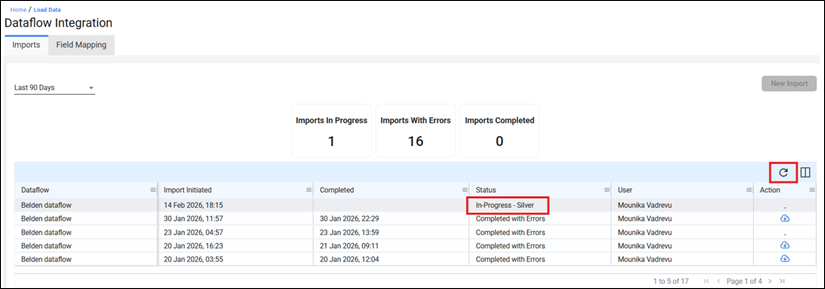
- Dataflow Integration processes one import at a time. While a dataflow is in progress, the "New Import" button will be disabled, preventing you from starting another load simultaneously.
- This is by design to ensure data integrity and prevent conflicts during processing. You will need to wait for the current import to fully complete (either "Completed Successfully" or "Completed with Errors") before initiating a new one.
- To check the current progress without refreshing the entire page, use the refresh icon located at the top right corner of the imports table. This updates the status display in real-time.
Was this article helpful?
That’s Great!
Thank you for your feedback
Sorry! We couldn't be helpful
Thank you for your feedback
Feedback sent
We appreciate your effort and will try to fix the article