- Autonomous Mapping allows you to view supplier mapping results up to Tier-N(up to tier 10) deep and identify rare earth exposure with part-level clarity. Follow the steps below to get started:
- Steps to Access Autonomous Mapping
- Log in to the Resilinc portal.
- From the left-hand navigation menu, select Supply Chain Network under My Supply Chain..
- You will be redirected to the Autonomous Mapping landing page.
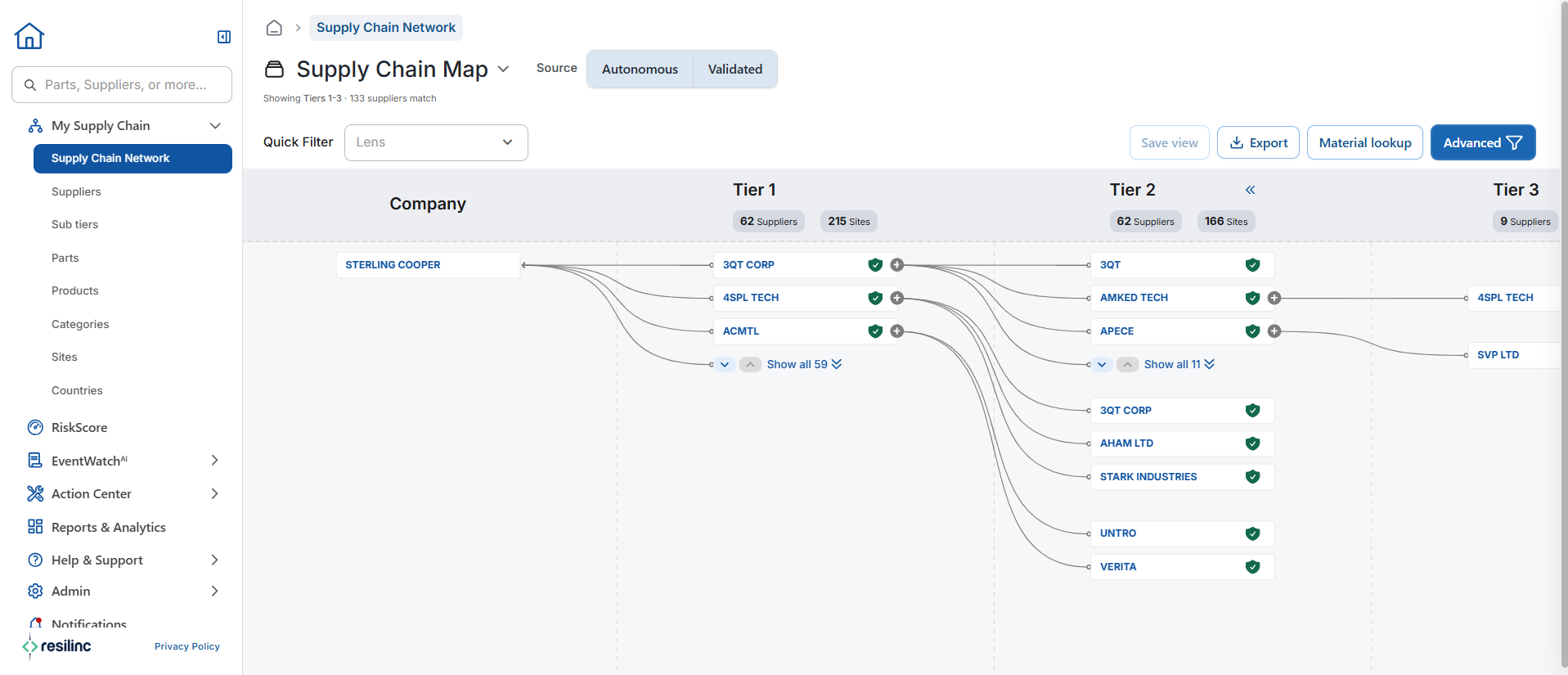
- The system will display your supplier mapping results up to Tier-N(up to tier 10) deep directly on the screen.
- You can now review and analyze your supplier relationships through the Autonomous Mapping view.
Was this article helpful?
That’s Great!
Thank you for your feedback
Sorry! We couldn't be helpful
Thank you for your feedback
Feedback sent
We appreciate your effort and will try to fix the article