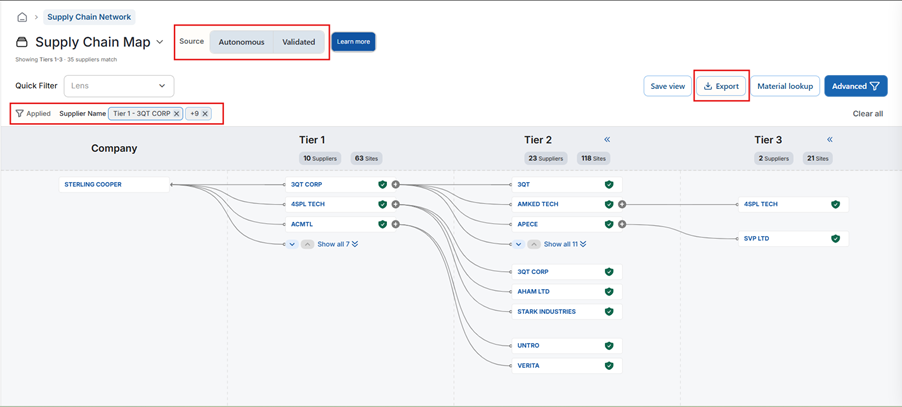
- On the Autonomous Mapping page click the Export option available in the toolbar to download the mapping data as an Excel file.
- The exported file includes the data currently displayed based on your selected view.
- The export respects all applied filters, including: Data Source (Autonomous, Validated, or Both), Global filters, Material Breakdown filters
- Currently, a maximum of 50,000 records can be exported. So make sure you apply the required filters before exporting to ensure only the desired and complete data is downloaded.
Was this article helpful?
That’s Great!
Thank you for your feedback
Sorry! We couldn't be helpful
Thank you for your feedback
Feedback sent
We appreciate your effort and will try to fix the article