Users can filter and search for specific suppliers directly from the Supply Chain Network map using the Filters option available on the map interface.
- Steps to Filter for a Specific Supplier
- Open the Supply Chain Network map.
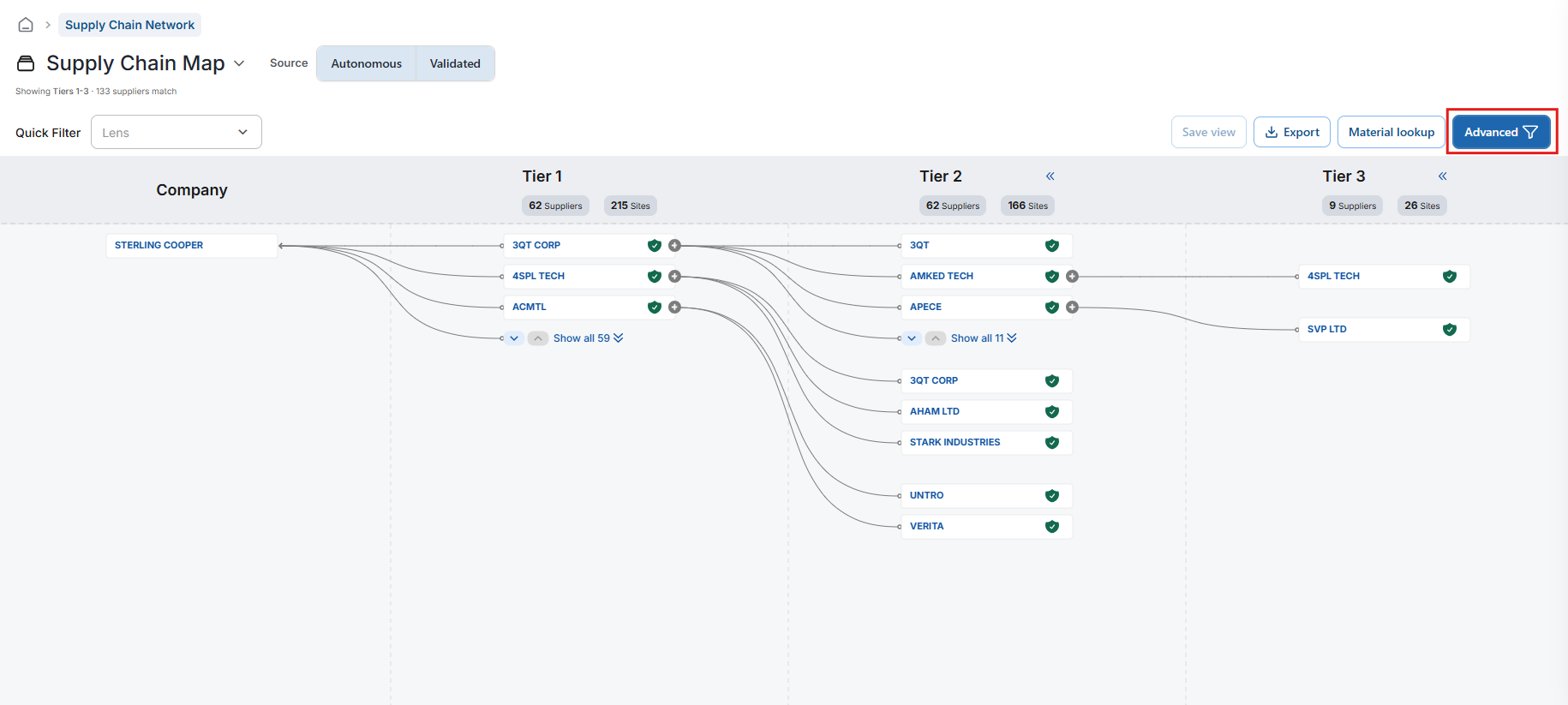
- Navigate to the Filters section located at the top-right corner of the map.
- Click the Advanced Filter icon to add a new filter.
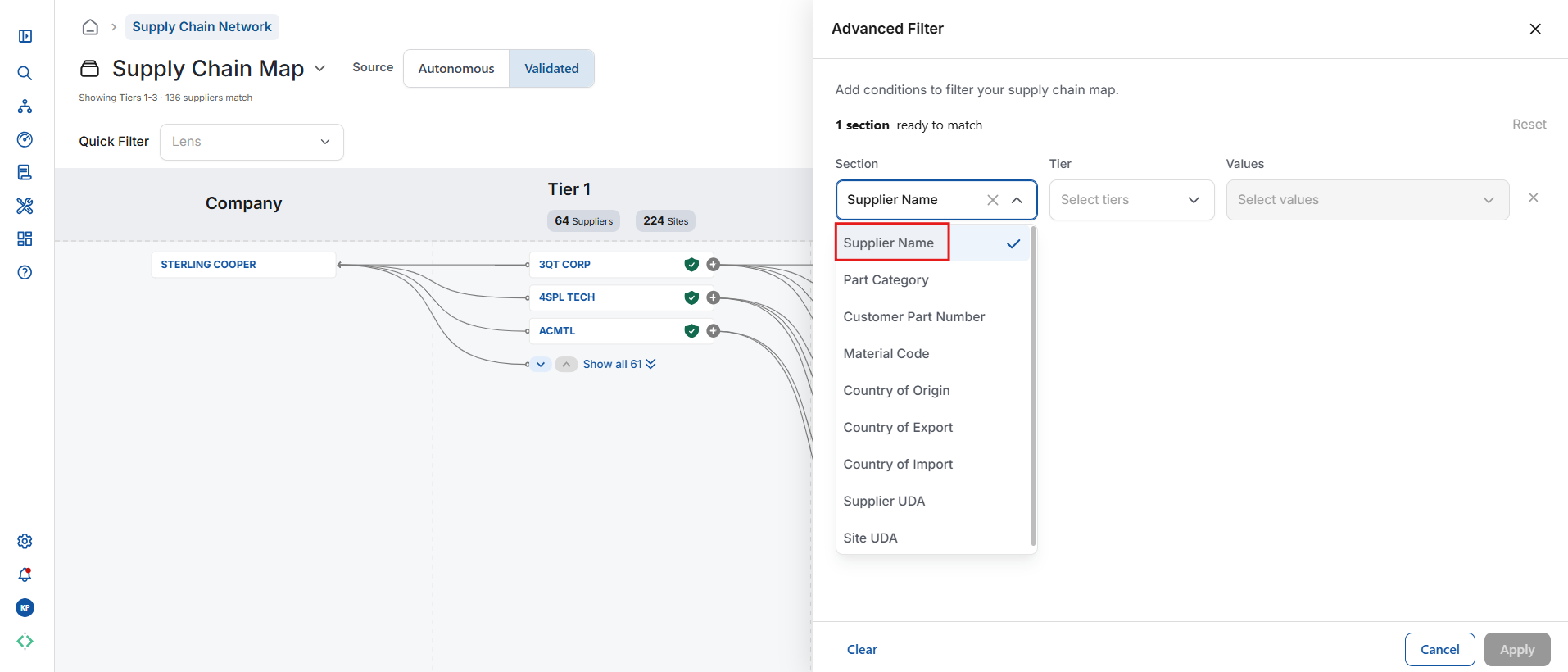
- From the available filter categories, select Supplier Name.
Available Filter Categories
- The Supply Chain Network map supports multiple filter types, including:
- Supplier Name
- Part Category
- Customer Part Number
- Material Code
- Country of Export
- Country of Import
- Country of Origin
- Supplier UDA
- Site UDA
Searching for a Supplier
- After selecting Supplier Name:
- Choose the relevant supplier tier(s) if applicable.
- Begin typing the supplier name in the search field.
- The system will display auto-suggested matching suppliers.
- Select the required supplier(s).
- Click Apply.
- The map will then refresh and display only the results related to the selected supplier(s).
Additional Notes
- Multiple suppliers can be selected simultaneously if required.
- Filters can be combined with other criteria for more refined results.
- Auto-suggestion helps quickly locate suppliers without scrolling through the full list.
Was this article helpful?
That’s Great!
Thank you for your feedback
Sorry! We couldn't be helpful
Thank you for your feedback
Feedback sent
We appreciate your effort and will try to fix the article