Yes, Customers can now extract Autonomous Mapped and Validated Mapped data from Resilinc into their Databricks Workspace directly using ‘Databricks Delta Sharing’. They can join it with their internal ERP, procurement, and operations data and apply their own analytics tools — without building or maintaining a single API integration.
Data made available: Autonomous mapped & Validated Mapped Data only
Customer Onboarding:
- Customer needs to send their Databrick Identifier to Resilinc Customer Support or their CSM.
- Resilinc will create the share in Databrick Environment using customer identifier.
- Resilinc’s CSM will notify the customer that the share is provisioned and ready.
Steps customer needs to take after Resilinc creates the share:
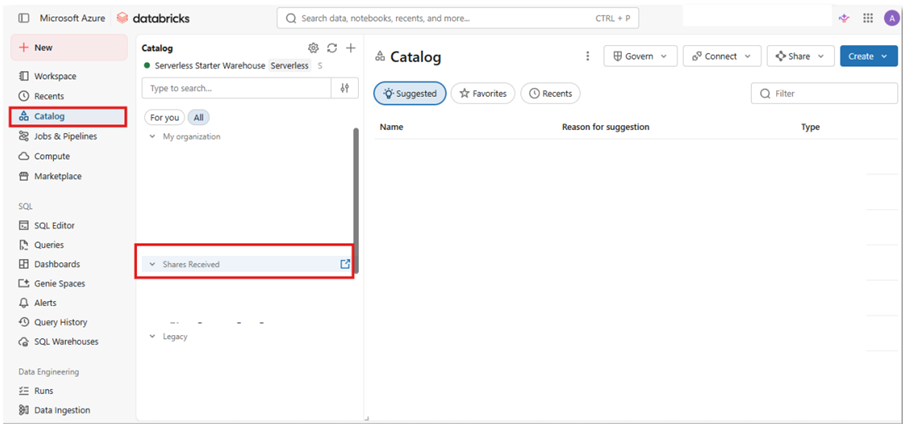
Customer users start by accessing their Databricks environment → Catalog (left)→ Shares received →click 
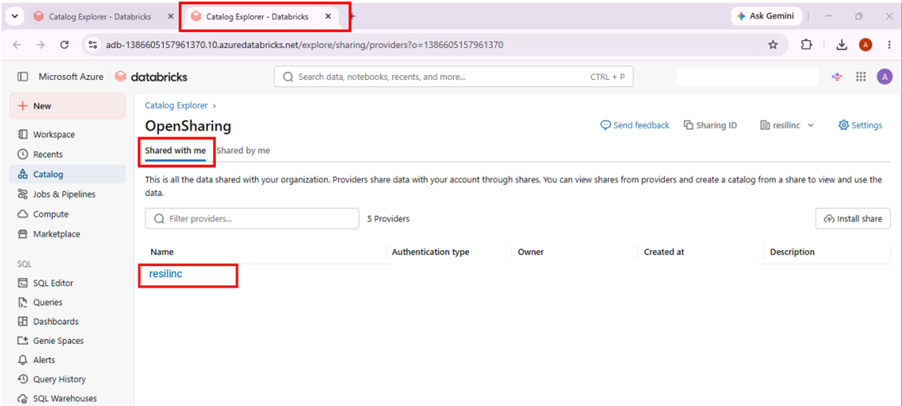
This opens a new tab → customer users click’s on ‘Shared with me’ → on the table look for ‘resilinc’→ click this to begin the mount.
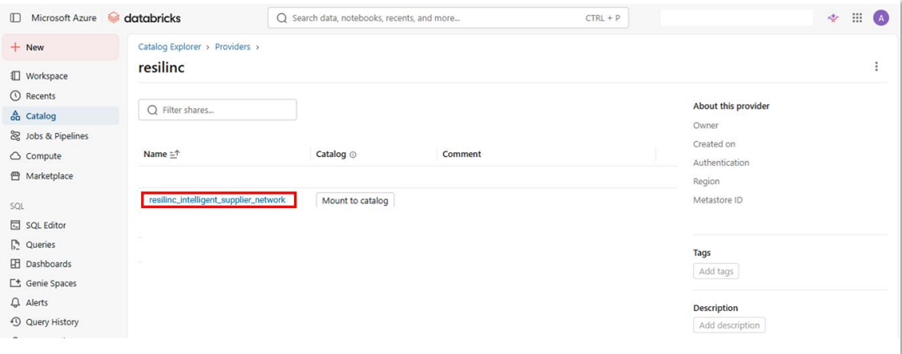
User locates ‘resilinc_share_am_vm_data’ → click ‘Mount to catalog’
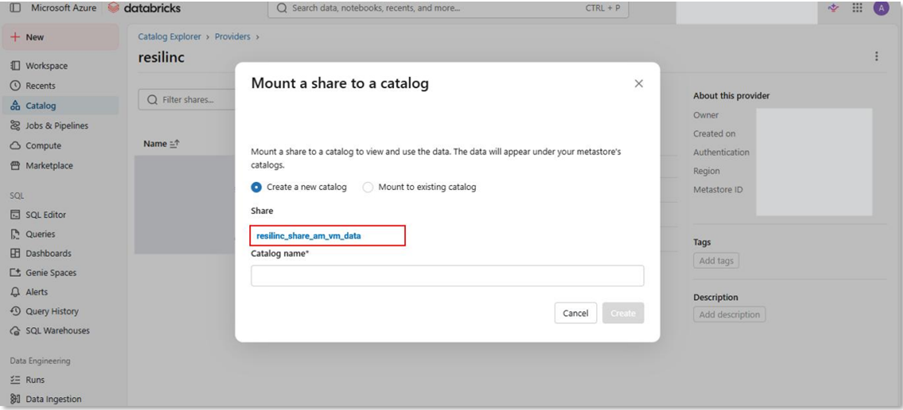
User mounts the Resilinc shared catalog →either by creating a new catalog or by using an existing catalog
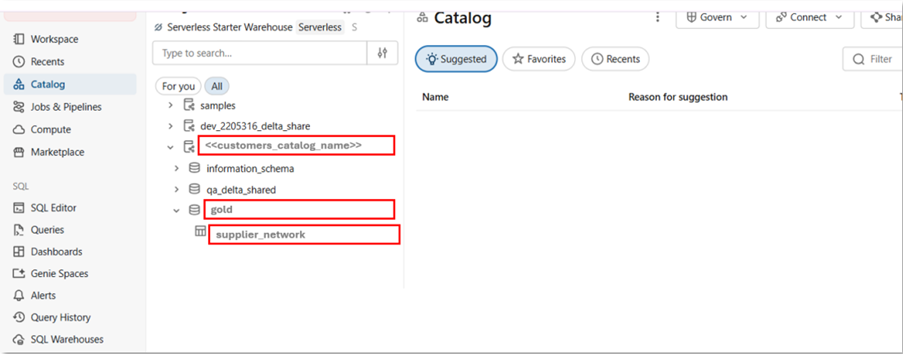
Once the mount is successful the user accesses catalog ‘shared with me’ locates the catalog they mounted → clicks on the ‘gold’ schema → ‘supplier_network’ and gains access to the AM/VM data shared by Resilinc
Key Points:
1. Databricks Delta Sharing extract (outbound) is accessible to all customers via Dataflow Integration
2. Customers should have access to the autonomous mapping product license
Resilinc Restrictions You may not:
1. Share, transfer, or make this data available to any third party, including competitors or external platforms
2. Use this data to build, train, enhance, or benchmark any competing product or service
3. Use this data to replicate or recreate similar supply chain mapping or intelligence capabilities
4. Use this data in any way that is inconsistent with your agreement with Resilinc
Was this article helpful?
That’s Great!
Thank you for your feedback
Sorry! We couldn't be helpful
Thank you for your feedback
Feedback sent
We appreciate your effort and will try to fix the article