- The “Request HTS code from suppliers (Optional)” checkbox allows customers to request HTS (Harmonized Tariff Schedule) codes from suppliers during SCV (Supply Chain Visibility) assessments. HTS codes are standardized 7–10 digit product classification codes used globally to streamline trade and customs processes.
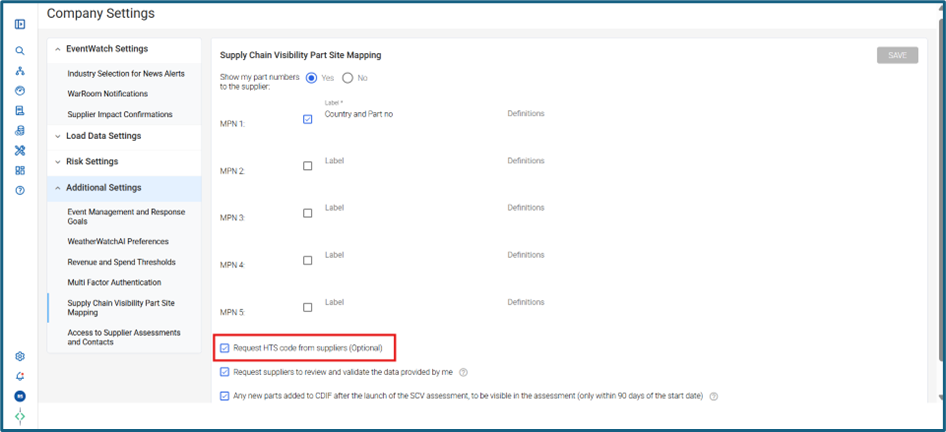
- When this setting is enabled, an HTS Code column is added to the Part Site Map tab of the SCV assessment. Suppliers can optionally provide HTS codes in this column; however, they are not required to do so.
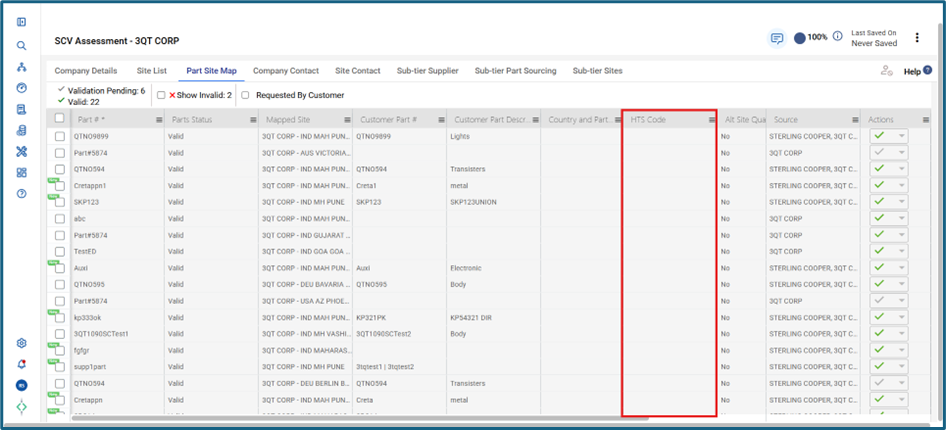
- Please note that even if HTS codes are provided by the supplier, they are not currently displayed on any reports, dashboards, or Orion pages within the Resilinc platform.
Was this article helpful?
That’s Great!
Thank you for your feedback
Sorry! We couldn't be helpful
Thank you for your feedback
Feedback sent
We appreciate your effort and will try to fix the article