To view the Multi-Tier Supply Chain mesh graph on the home page, follow these steps:
- Look at the top right side of the page for three dots.
- Click on the three dots to reveal a dropdown menu.
- From the dropdown menu, select the "Edit Layout" option.
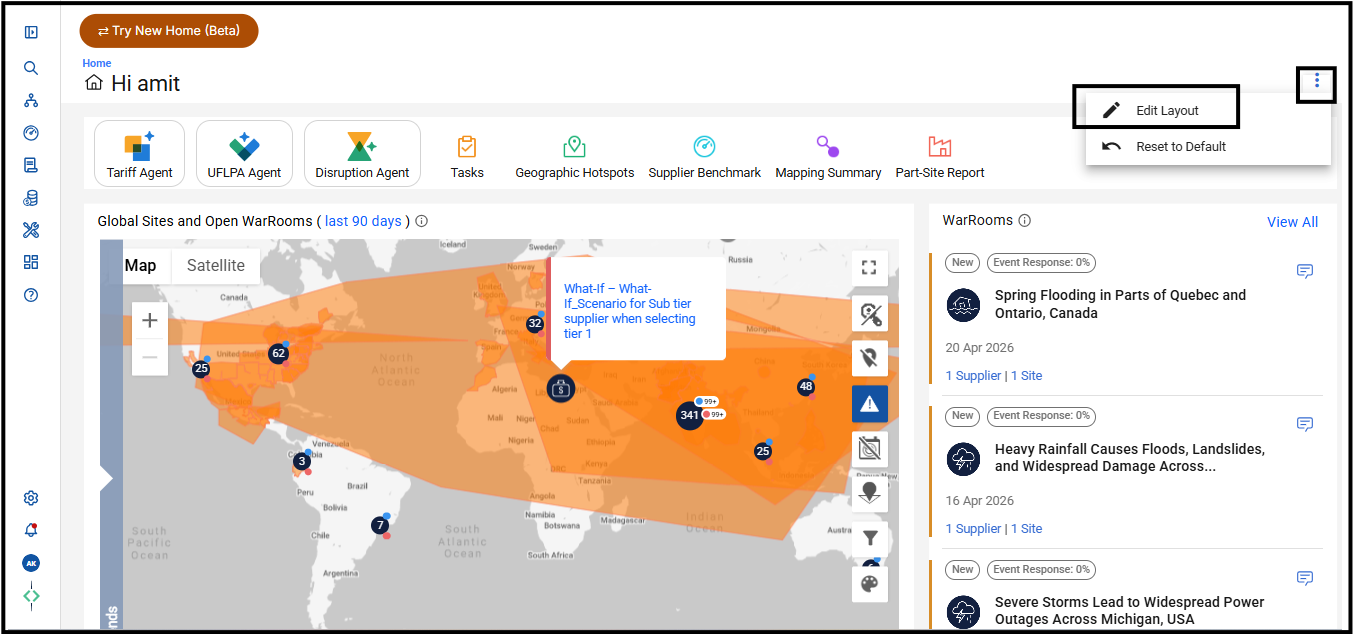
- Once in the layout editor, locate and click on the "Multi-Tier Supply Chain" link.
- After clicking on the link, the Mesh graph will become visible on the home page towards the bottom.
Was this article helpful?
That’s Great!
Thank you for your feedback
Sorry! We couldn't be helpful
Thank you for your feedback
Feedback sent
We appreciate your effort and will try to fix the article