- The Assessment Section Scores can be found on the Survey Dashboard for a particular assessment.
- From the Home page navigate to Hamburger Menu -> Action Center -> Assessments ->Launch Assessments->My Library->click on view dashboard icon present in Actions column against that assessment.
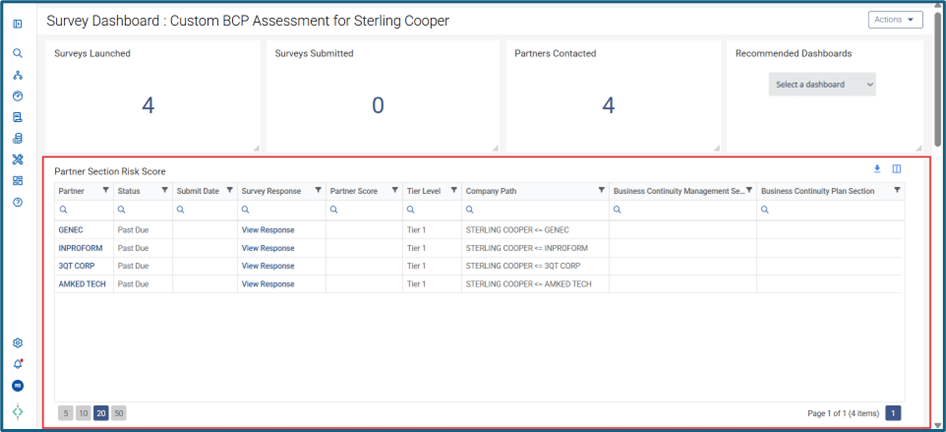
- On Survey Dashboard, Partner Section Risk Score grid shows the Assessment Section Scores.
Was this article helpful?
That’s Great!
Thank you for your feedback
Sorry! We couldn't be helpful
Thank you for your feedback
Feedback sent
We appreciate your effort and will try to fix the article