- Resilinc enforces a 30-minute inactivity-based session timeout for security purposes.
Session Timeout Behavior
- Users are automatically logged out after 30 minutes of inactivity.
- A warning popup appears at 25 minutes of inactivity.
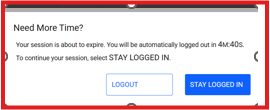
- Clicking “Stay logged in” resets the inactivity timer and provides another 30 minutes of active session time.
- If no action is taken after the warning, the system automatically logs the user out at the 30-minute mark.
How to Stay Logged In Beyond 30 Minutes
- Users can enable “Keep me logged in” on the login page before signing in.
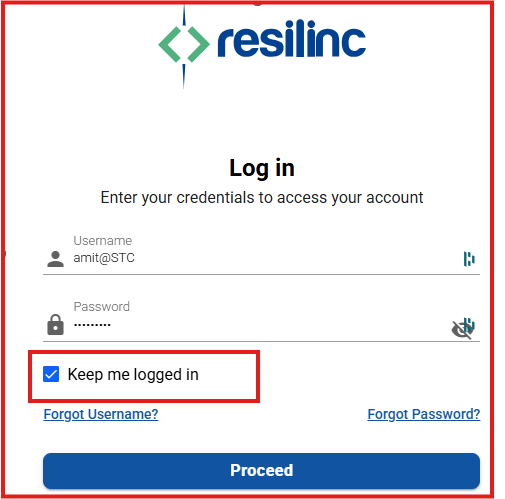
- When enabled:
- Users will not be logged out after 30 minutes of inactivity.
- The session remains active until the user manually logs out or closes the browser.
For SSO-Enabled Customers
- Customers using Single Sign-On (SSO) who wish to change the default 30-minute timeout must contact Resilinc Support.
- Submit a request via the Customer Hub or email customersupport@resilinc.ai.
- Resilinc will update the session timeout settings from the backend upon request.
Was this article helpful?
That’s Great!
Thank you for your feedback
Sorry! We couldn't be helpful
Thank you for your feedback
Feedback sent
We appreciate your effort and will try to fix the article