- Yes, surveys can be configured to effectively end early based on specific responses using the “Visible If” conditional logic feature in the assessment editor.
- Instead of explicitly terminating the survey, the system works by hiding all subsequent questions when certain answer conditions are met. Once the remaining questions are hidden, the respondent can submit the survey immediately at that point.
- How it works:
- Define the conditions (e.g., specific answers to earlier questions)
- Apply “Visible If” logic to all questions or sections after the desired stopping point
- Ensure those questions are only visible when further input is relevant
- If the defined conditions are met, the remaining questions stay hidden, and the survey flow effectively ends.
- How to configure:
- Open the survey in the assessment editor
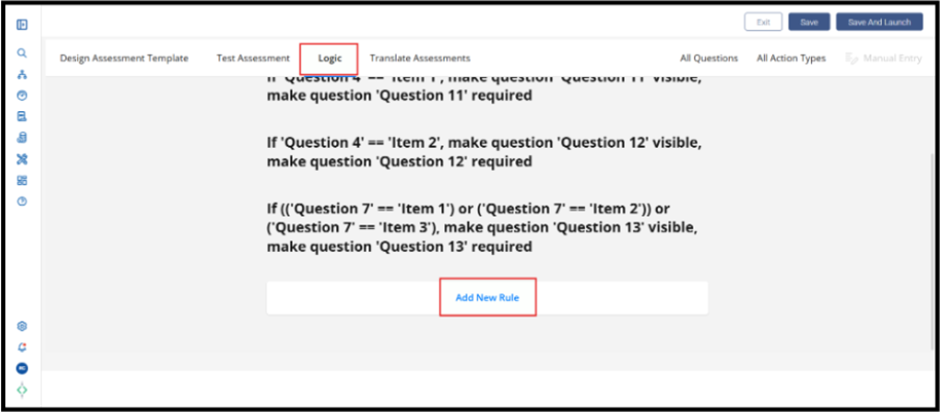
- Go to the Logic tab
- Identify the responses that should trigger early completion
- Apply “Visible If” conditions to:
- Individual questions (for granular control), or
- Entire sections (recommended for efficiency)
- Test the survey using preview to confirm expected behaviour
- Example:
- You can configure logic such that:
- If a respondent indicates no operations, no sourcing, and no impact in earlier questions
- Then all subsequent questions are hidden
- The survey can be submitted immediately after that point
Was this article helpful?
That’s Great!
Thank you for your feedback
Sorry! We couldn't be helpful
Thank you for your feedback
Feedback sent
We appreciate your effort and will try to fix the article