- Yes. You can create and save a custom view for your filtered data in Autonomous Mapping (AM), making it easy to access the same view later.
- How to create a custom view
- Open the Autonomous Mapping (AM) page (i.e. Supply Chain Network from left side hamburger menu).
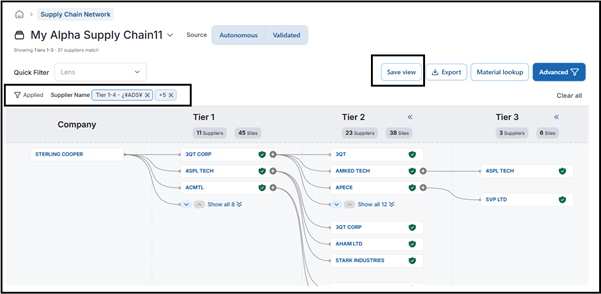
- Apply the required filters.
- Click Save View.
- Enter a name for the view.
- Click Confirm.
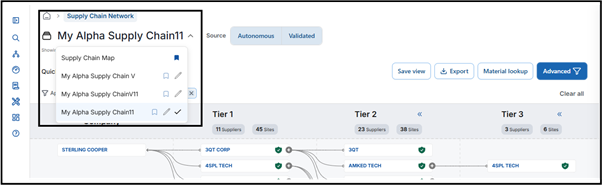
- Your custom view will be saved and will be available from the Supply Chain Map for future use.
- Refer to the screenshots below for the Save View option and where the saved view appears.
Was this article helpful?
That’s Great!
Thank you for your feedback
Sorry! We couldn't be helpful
Thank you for your feedback
Feedback sent
We appreciate your effort and will try to fix the article