- You can access domain management feature via the Supplier Portal under the "Contacts" page.
- To navigate to the Contacts page:
Profile Icon (bottom-left corner) → Preferences → Contacts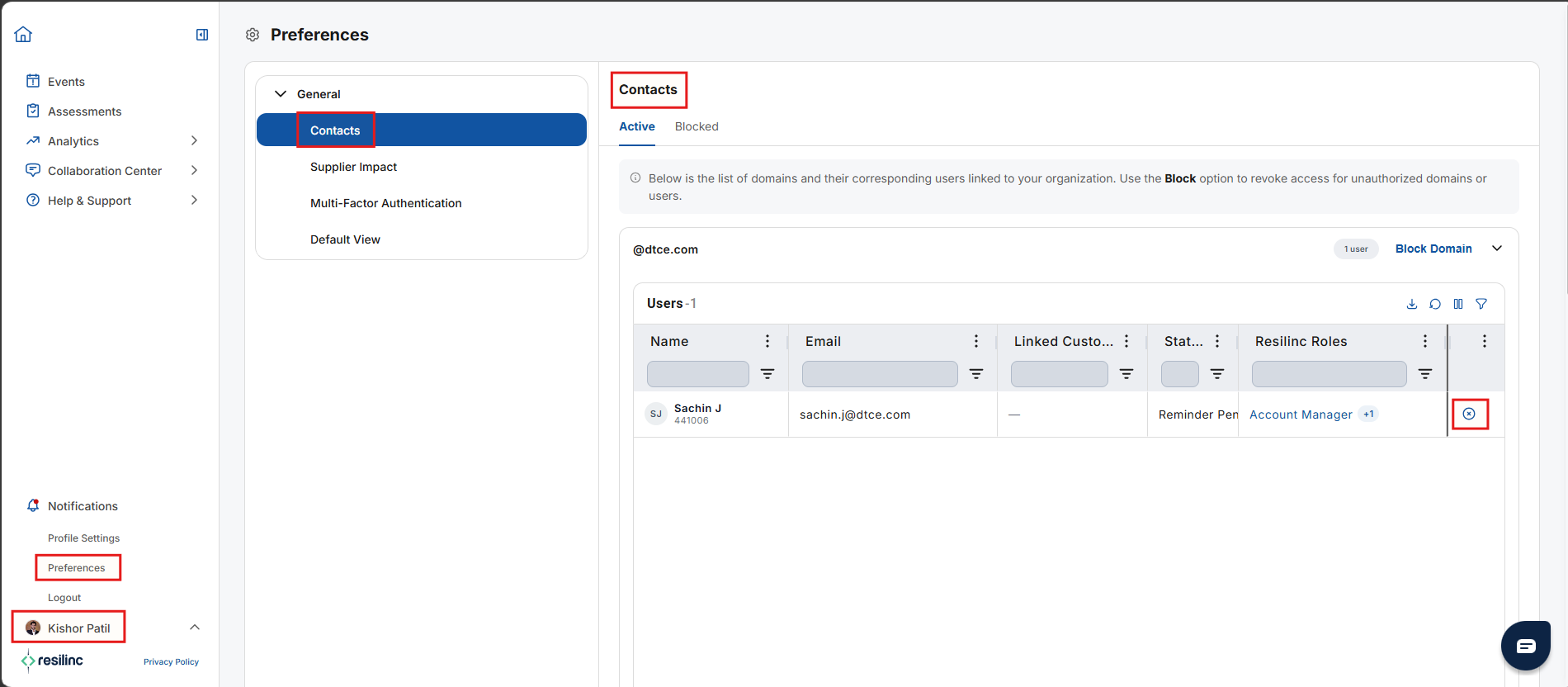
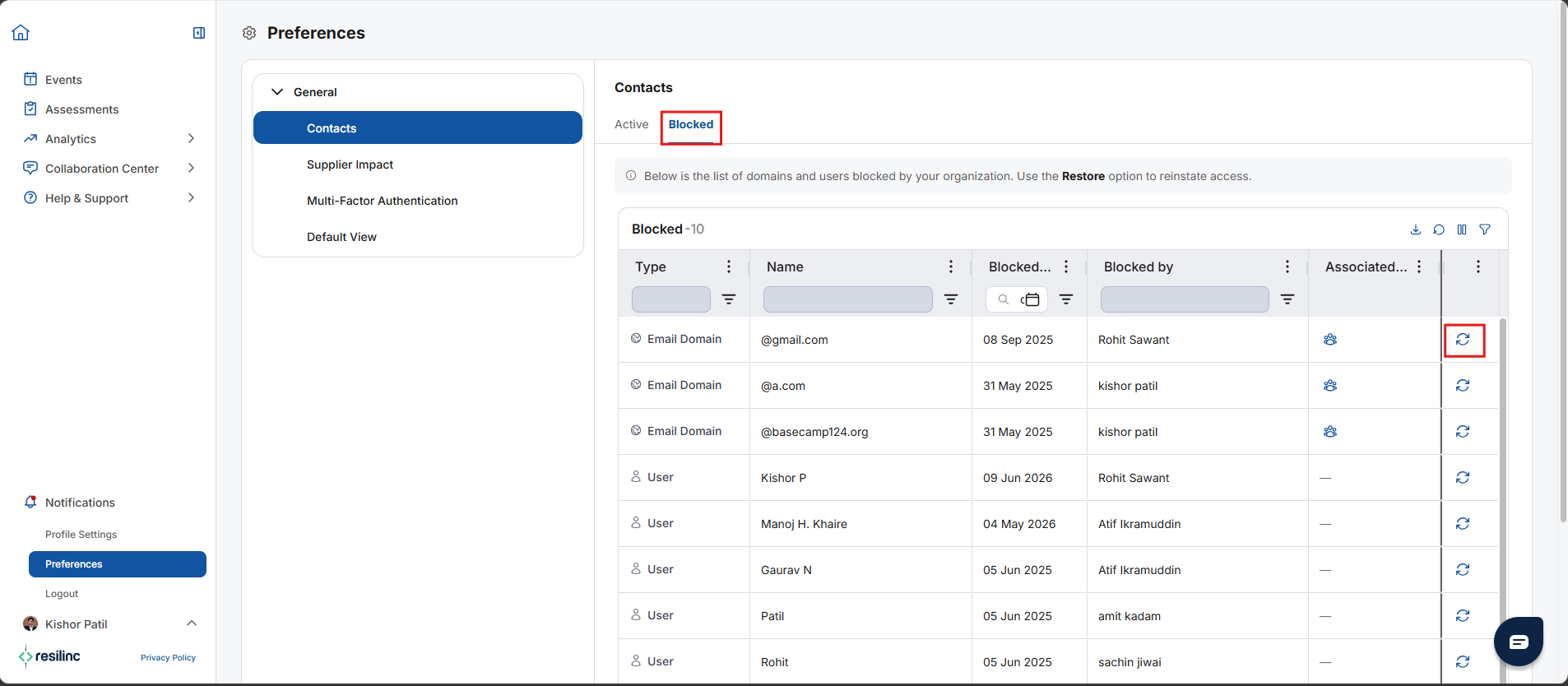
- The Action column, which allows users to block or restore domains, is available only to users with the Crisis Manager role.
Was this article helpful?
That’s Great!
Thank you for your feedback
Sorry! We couldn't be helpful
Thank you for your feedback
Feedback sent
We appreciate your effort and will try to fix the article