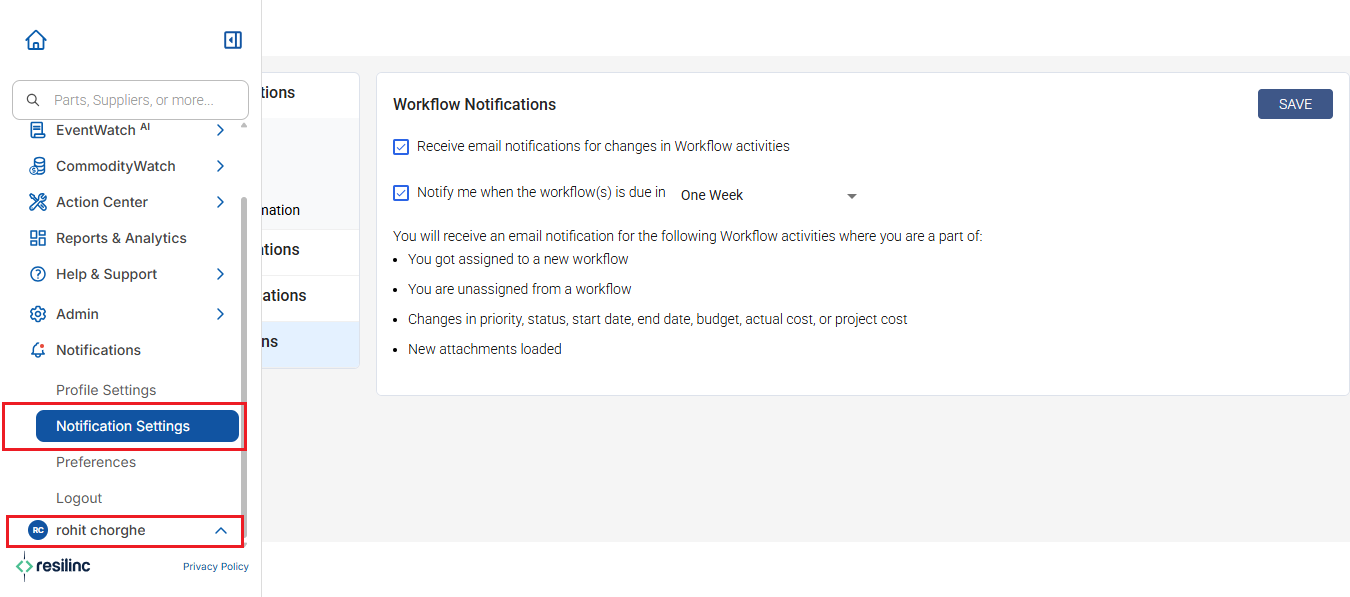
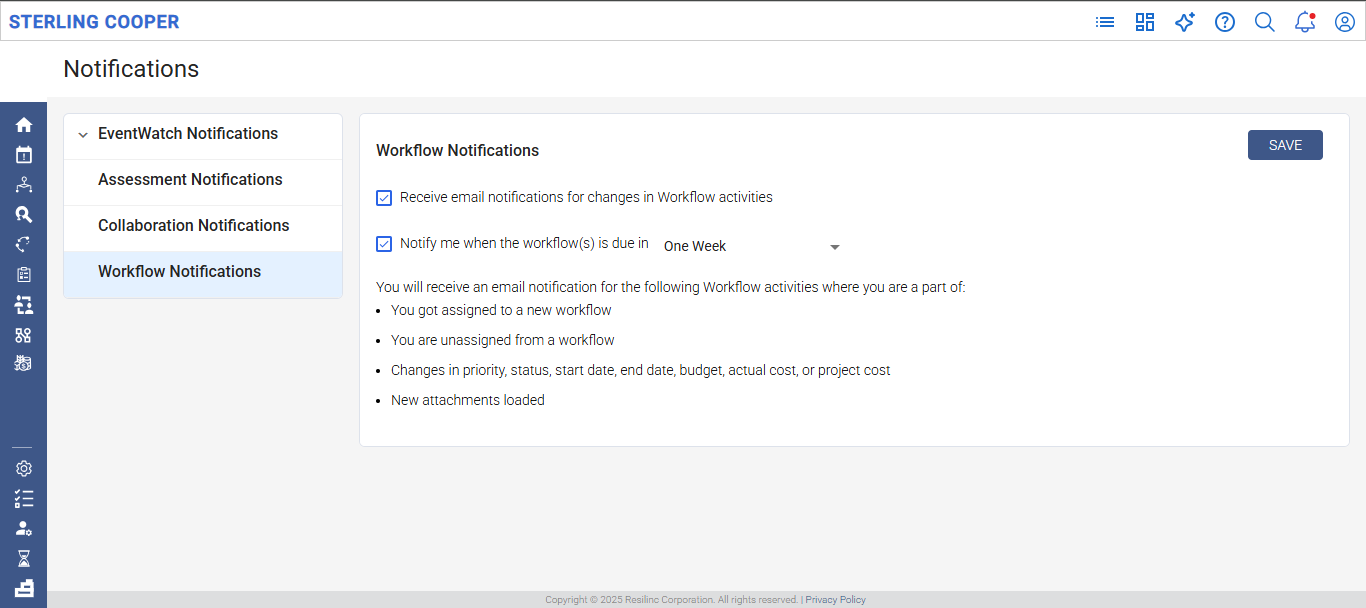
- You can configure your notifications from the workflow setting page which can be accessed by clicking on the left menu -> User Profile and selecting Notification Settings. Under Notifications select Workflow Notifications.
- Email notification setting can be done using workflows setting page whether user want to receive email notifications for changes in Workflow activities
or when the workflow is due within one week to five week. - This setting is done at user level.
Was this article helpful?
That’s Great!
Thank you for your feedback
Sorry! We couldn't be helpful
Thank you for your feedback
Feedback sent
We appreciate your effort and will try to fix the article