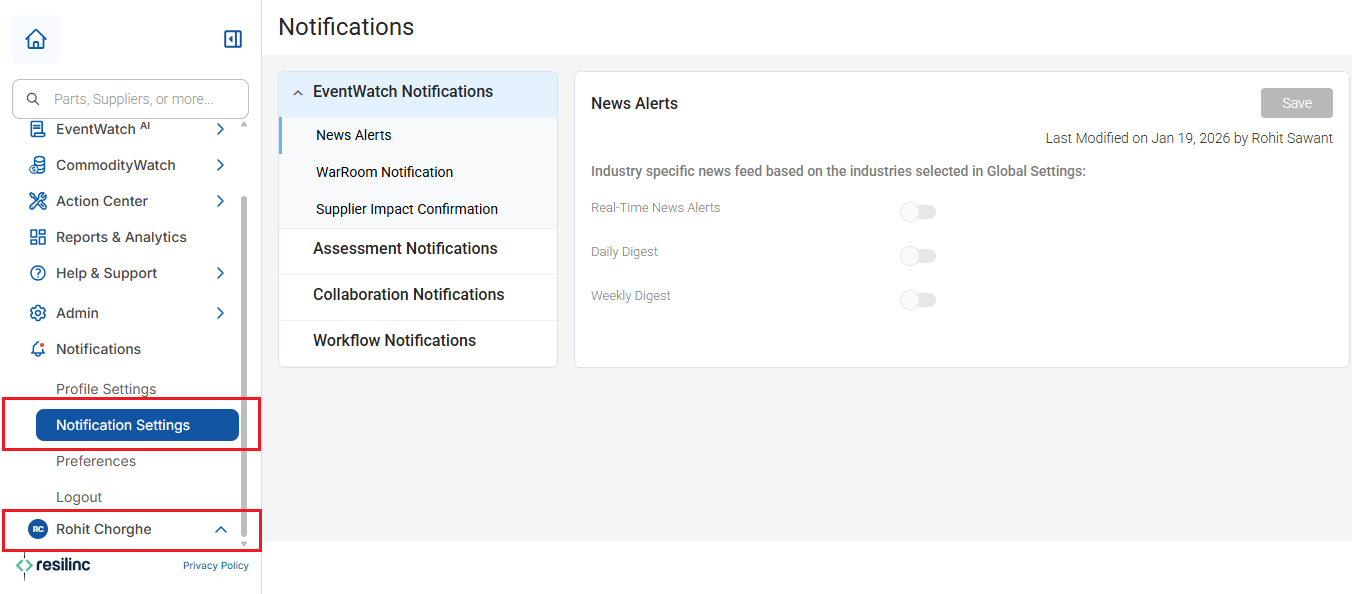
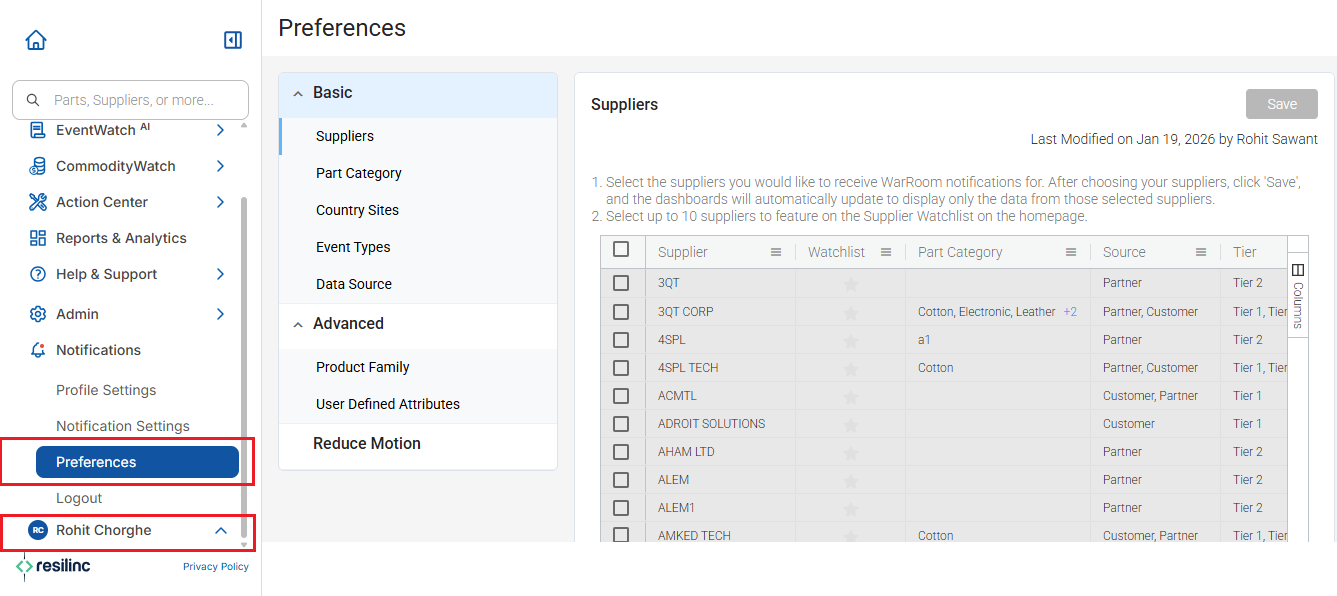
- Settings can be accessed by navigating from the left side hamburger menu -> Click on profile name. When you expand this option, a menu will appear displaying several options including "Notification Settings" and "Preferences" where you can view and modify your personal notification and preference settings.
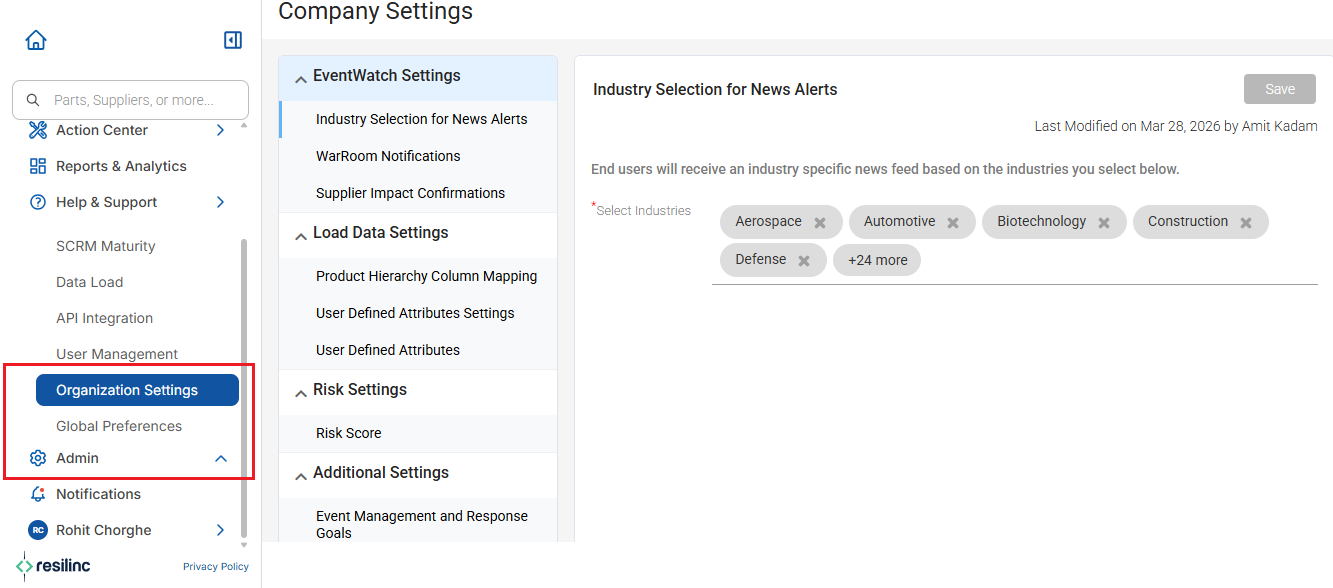
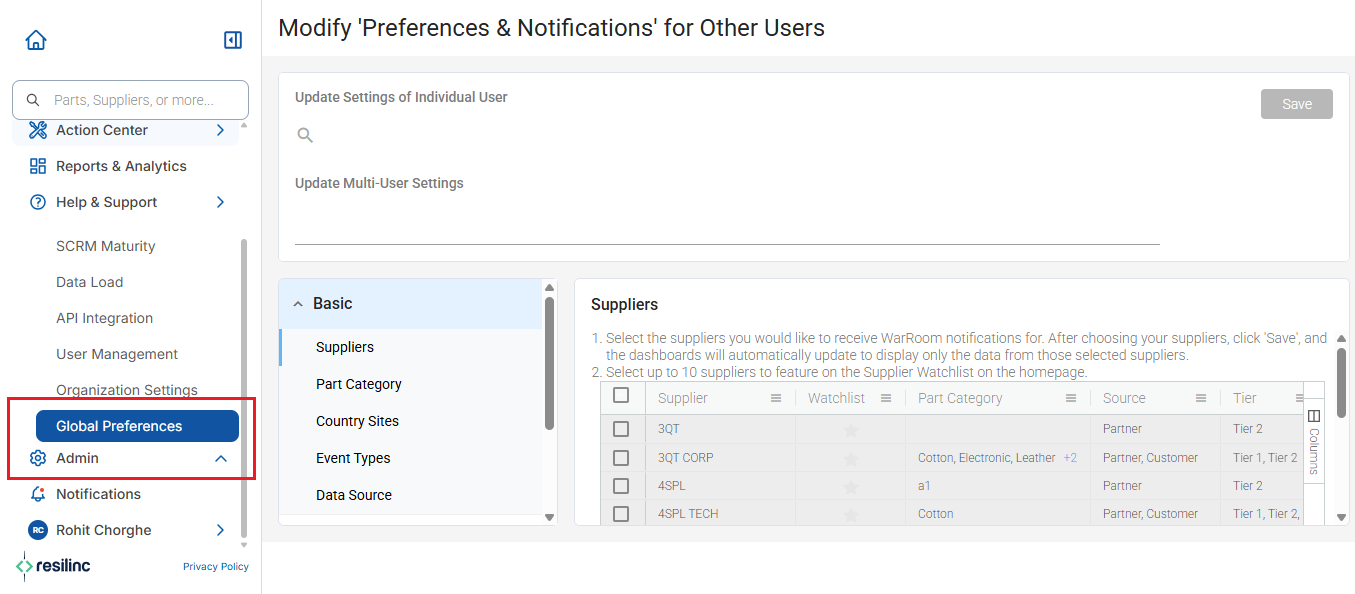
- For administrators who need to configure organization-wide settings, navigate from the left side hamburger menu -> Click on Admin option. When you expand this option, a menu will appear displaying several options including "Organization Settings" & "Global Preferences" where you can view and modify your organization level notifications and preference settings.
Was this article helpful?
That’s Great!
Thank you for your feedback
Sorry! We couldn't be helpful
Thank you for your feedback
Feedback sent
We appreciate your effort and will try to fix the article