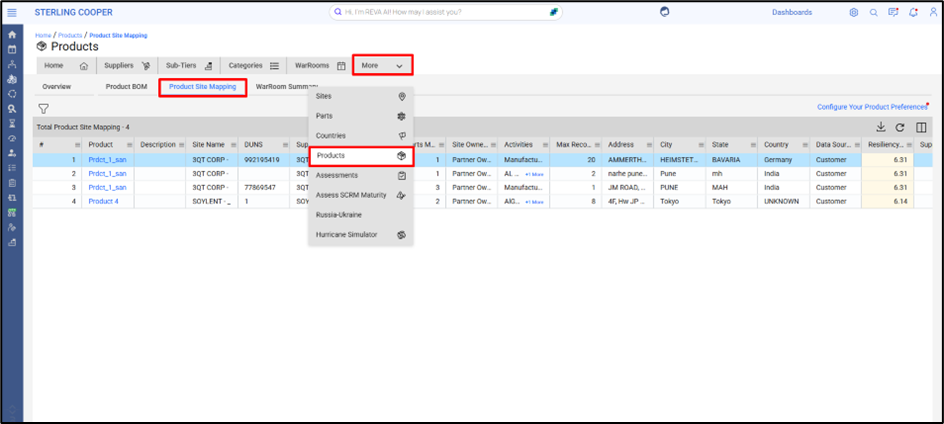
The Product Site Mapping tab provides a detailed association of products to the sites where their parts are manufactured or sourced. This view is essential for understanding supply chain dependencies and mapping disruption impact across supplier locations.
Navigation Path:
Home Page → Products → Product Site Mapping
Key Data Points:
Each row in the Product Site Mapping table reflects a product-to-site linkage, along with supplier metadata:
Column | Description |
Product | Finished product name |
Description | Product description |
Site Name | Supplier’s physical site name |
Site External ID | Unique identifier of the site |
DUNS | For site identification |
Supplier | Name of the supplier mapped to the site |
Supplier External ID | External reference ID |
Site Tier | Tier level of the site (e.g., Tier 1) |
# Parts Mapped | Number of parts associated with this site |
Site Ownership | Site owner category (e.g., Partner Owned) |
Filtering Options:
On the left filter panel, users can refine the view based on:
Filter Option | One-Line Description |
Supplier | Filter the BOM to view parts associated with specific suppliers. |
Part Category | Narrow down the list to parts belonging to selected categories or classifications. |
Country Site | Focus the view on parts sourced from or linked to supplier sites in particular countries. |
User Defined Attributes (UDA) | Apply custom filters using user-specific tags for targeted risk analysis. |
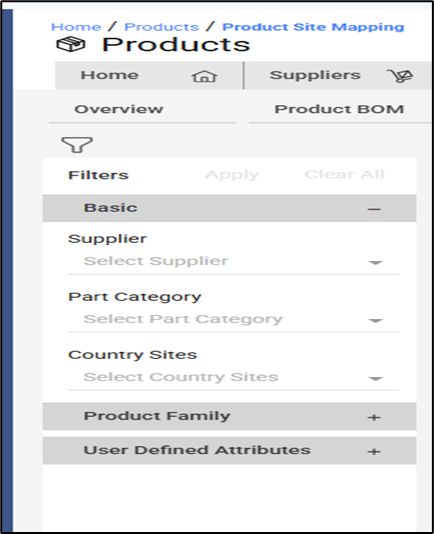
These filters make it easy to isolate specific suppliers or regions for focused risk assessments.
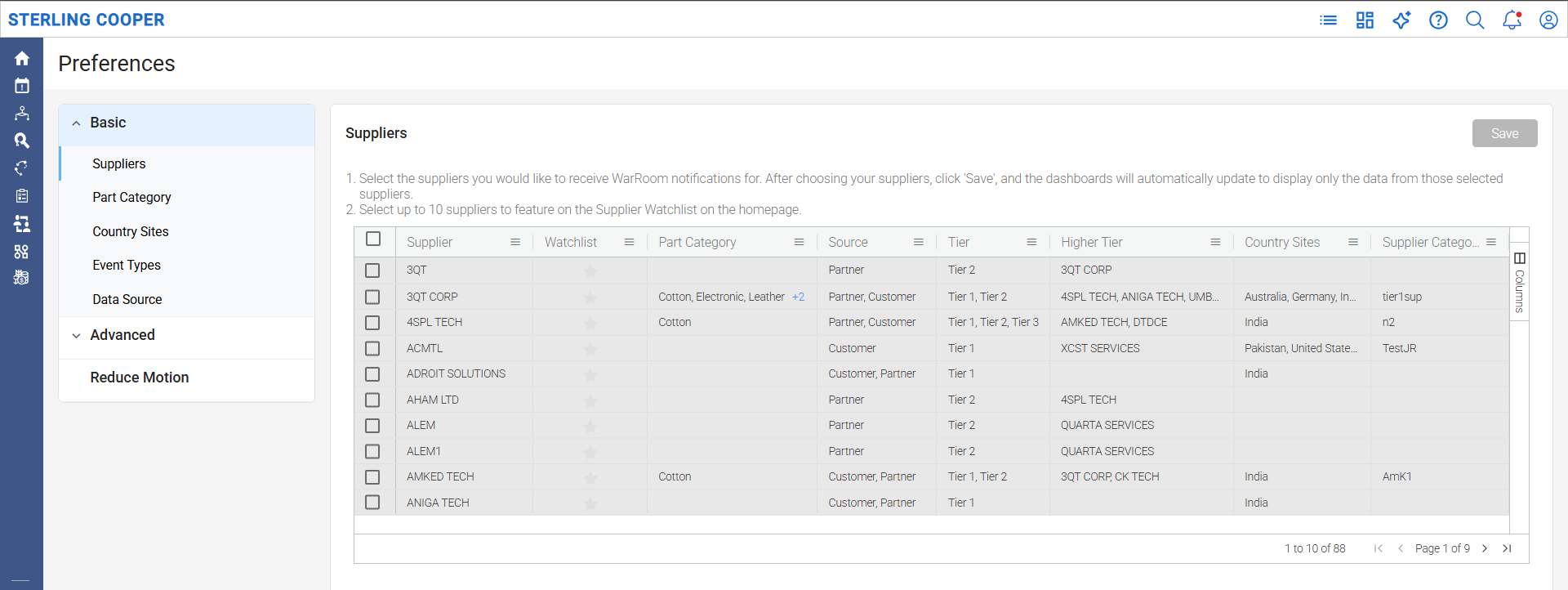
Configure Product Preferences:
The “Configure Your Product Preferences” link on the top right allows users to:
- Choose products of interest
- Apply consistent filters across the Products module
- Narrow the view based on relevant criteria (supplier, site, category, etc.)
Value Delivered:
- Supply Chain Visibility: Pinpoint exactly where a product’s components are sourced or produced
- Location-Based Impact Analysis: Align site disruptions with product and part exposure
- Decision-Making Support: Enable alternate sourcing or site shift planning
- Custom Focus: Only view data that matches user’s requirement of products or responsibilities
Was this article helpful?
That’s Great!
Thank you for your feedback
Sorry! We couldn't be helpful
Thank you for your feedback
Feedback sent
We appreciate your effort and will try to fix the article