The Product BOM (Bill of Materials) tab provides a detailed listing of all components associated with an Customer’s end products. This view links product-level supply chain data, enabling users to assess risk, revenue impact, and sourcing posture for every part of a product.
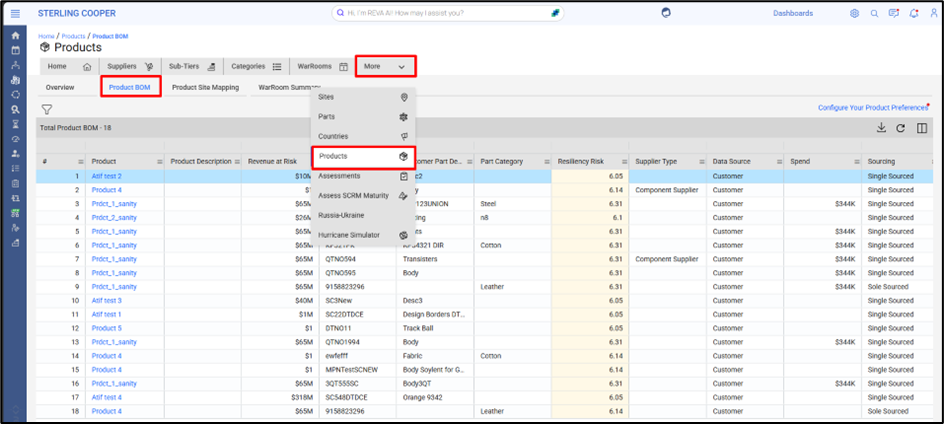
Navigation Path: Home Page → More → Products → Product BOM
Key Features:
Each row in the table represents a Product-Part relationship, and includes the following critical data points:
Column | Description |
Product | Finished goods product name |
Product Description | Brief description of the product |
Revenue at Risk | Estimated revenue impact due to part unavailability |
Customer Part No. | Part number as per customer system |
Customer Part Description | Description of the part |
Part Category | Category classification (e.g., Leaflets, Cartons) |
Resiliency Risk Score | Risk score (scale 1–10) based on multiple factors |
Supplier Type | Source of the part (e.g., Customer, Third Party) |
Data Source | Origin of the data |
Spend | Total spend associated with the part |
Sourcing Type | Whether the part is single-sourced or multi-sourced |
Filtering Capabilities:
Users can refine the Product BOM table using the following filters:
Filter Option | One-Line Description |
Supplier | Filter the BOM to view parts associated with specific suppliers. |
Part Category | Narrow down the list to parts belonging to selected categories or classifications. |
Country Site | Focus the view on parts sourced from or linked to supplier sites in particular countries. |
User Defined Attributes (UDA) | Apply custom filters using user-specific tags for targeted risk analysis. |
This helps isolate specific parts, geographies, or suppliers for focused risk analysis.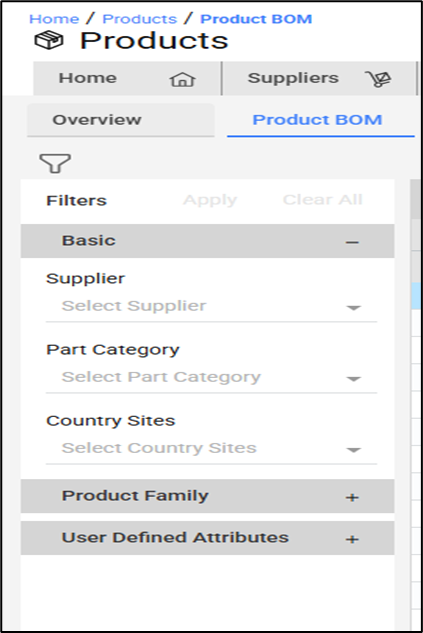
Configure Product Preferences:
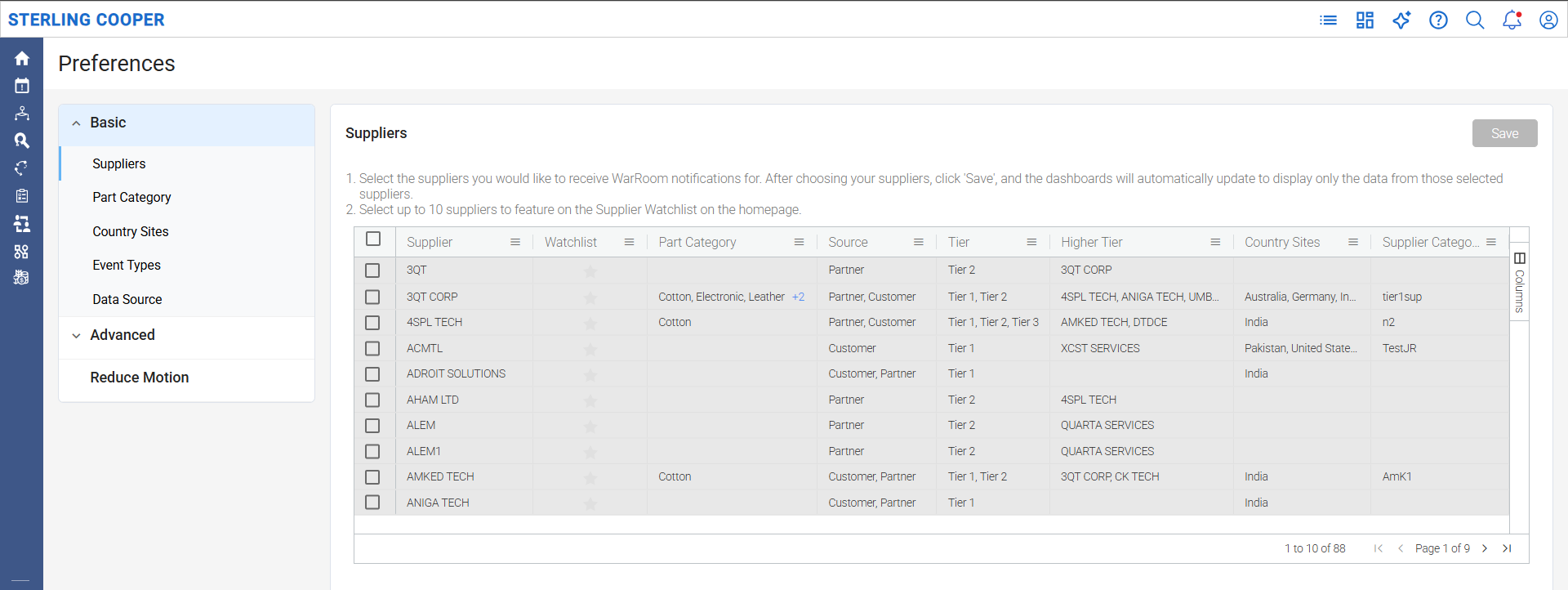
Located in the top-right corner, the “Configure Your Product Preferences” link allows users to:
- Select products they are responsible for or interested in.
- Narrow the BOM view based on relevant criteria (supplier, site, category, etc.)
- Tailor the overview page according to product criticality
Value Delivered:
- Trace impact and risk at the part level tied directly to finished goods
- Quantify financial exposure due to supply disruptions
- Support evaluation of multi-source vs single-source strategies
- View only the products and parts relevant to your role.
Was this article helpful?
That’s Great!
Thank you for your feedback
Sorry! We couldn't be helpful
Thank you for your feedback
Feedback sent
We appreciate your effort and will try to fix the article