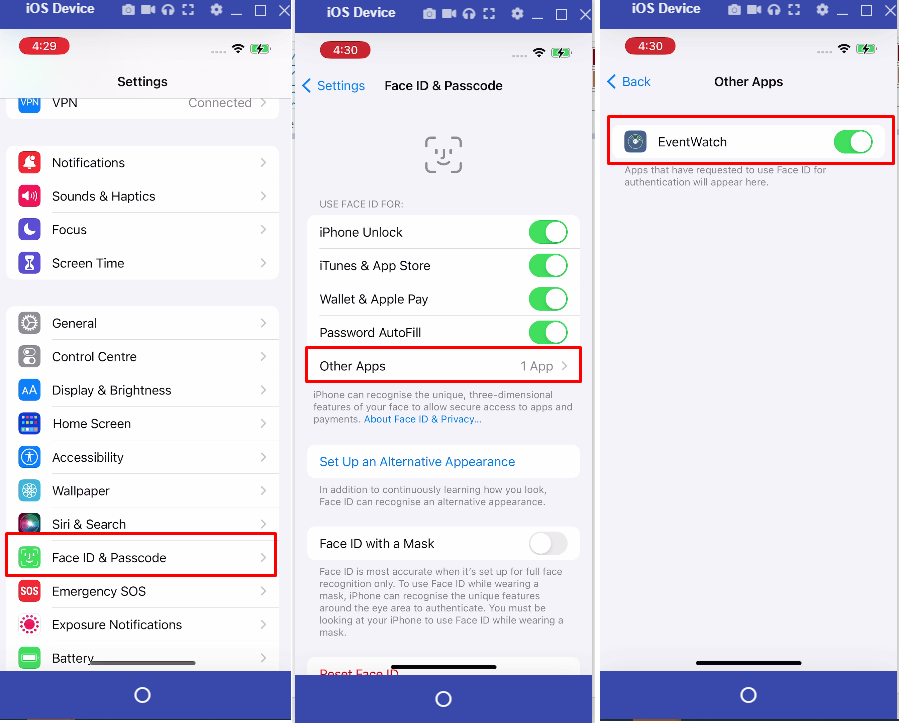
To enable the Face Recognition/ID functionality for iOS, please use the following settings:
From the iOS settings:
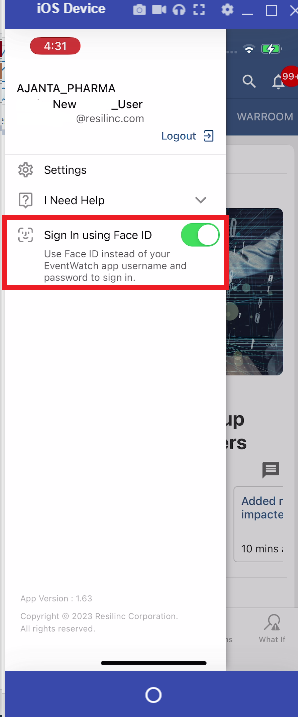
When logged into EventWatch app, make sure "Sign in using Face ID" is turned on:
Was this article helpful?
That’s Great!
Thank you for your feedback
Sorry! We couldn't be helpful
Thank you for your feedback
Feedback sent
We appreciate your effort and will try to fix the article