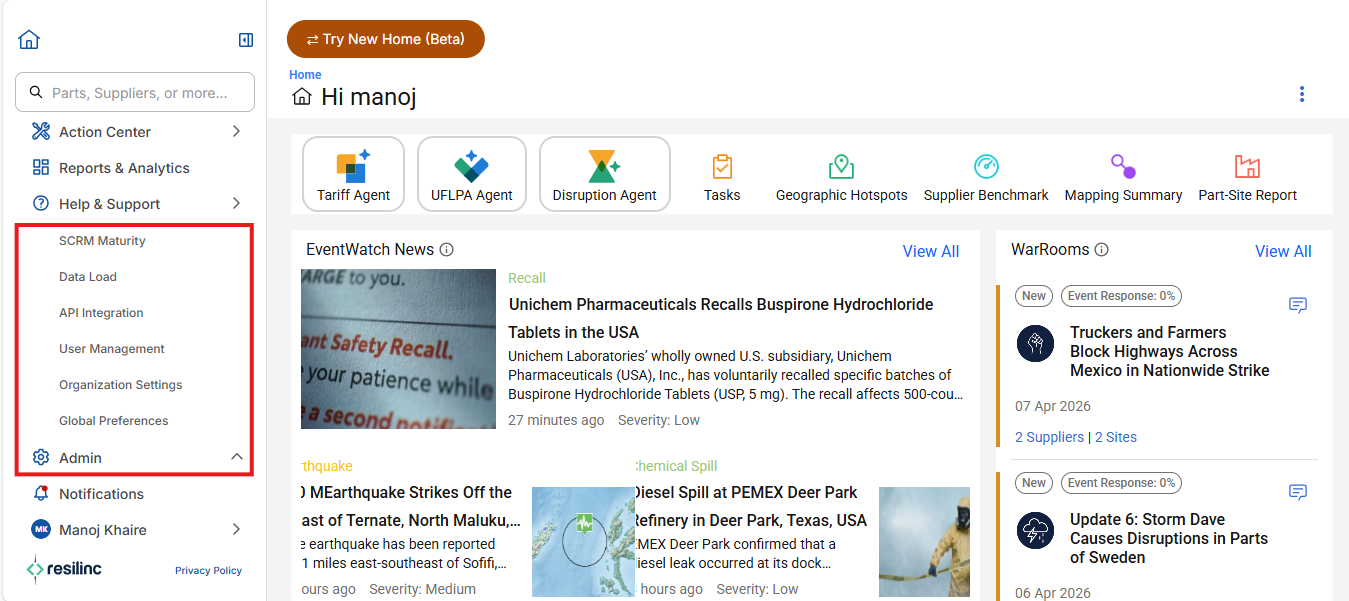
- All admin tools are organized under the Administration section in the left sidebar menu.
- By clicking the Admin menu icon at the top left of the application, you can access options such as Data Load, API Integration, User Management, Organizational Setting, Global Preferences, SCRM Maturity.
- This dedicated section provides admins with a centralized location to manage users, configure company-wide settings, control data operations tasks efficiently.
Was this article helpful?
That’s Great!
Thank you for your feedback
Sorry! We couldn't be helpful
Thank you for your feedback
Feedback sent
We appreciate your effort and will try to fix the article