- Yes, you can onboard multiple users in your organization using the Bulk Upload feature available in the Manage Users section of the portal.
Steps to Add Multiple Users
- Log in to the Resilinc Portal
- Navigate to the left-side menu
- Click on Manage Users
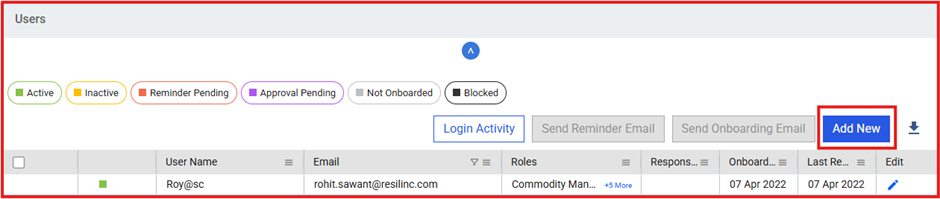
- Go to the Users page
- Click on Add New
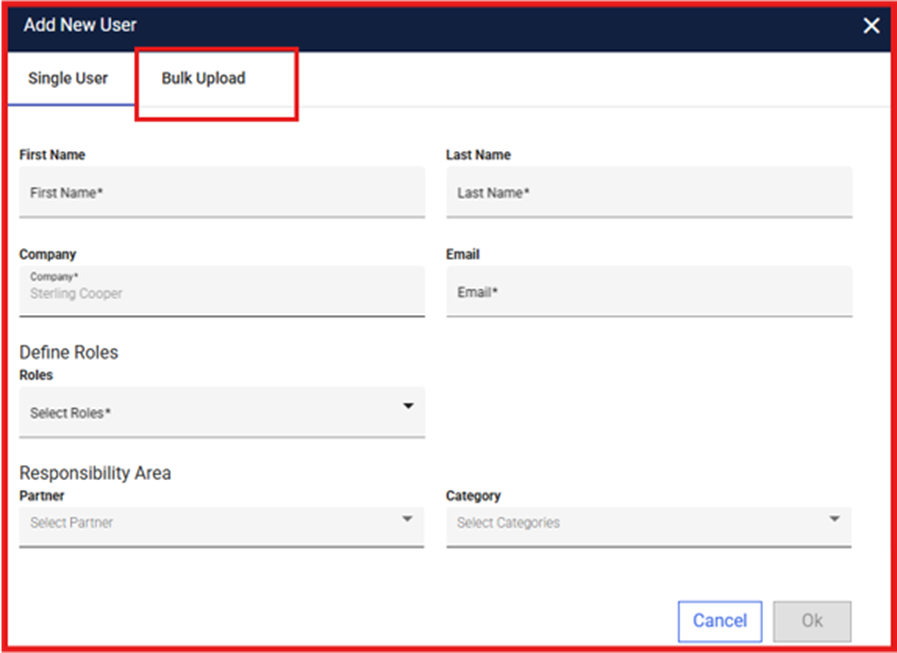
- Select the Bulk Upload option
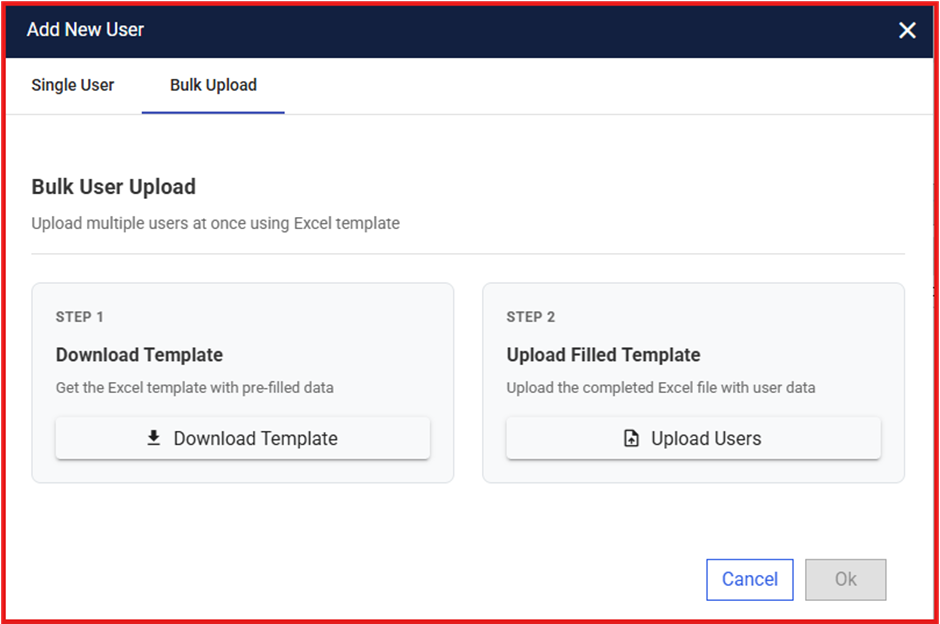
- The Bulk Upload process has 2 steps, as shown in the above screenshot:
- Step 1: Download Template
- Download the user upload template
- Review the instructions carefully
- Fill in all required/mandatory (*) user details
- Step 2: Upload File
- Upload the completed template
- Click on the Submit All button
Post Upload
- Newly added users will automatically receive an onboarding email
- Users can complete registration and log in to the portal
Important Notes
- In the downloaded template, refer to the ‘Important Notes’ and ‘Steps’ sections available in the ‘User Data’ tab and fill in the details accordingly.
- To add roles and license details for users, refer to the instructions provided in the relevant tabs such as Roles Reference, License Reference, Partner Reference, and Category Reference
- Ensure all mandatory fields in the template are filled correctly
- Incorrect or missing data may result in upload errors
Was this article helpful?
That’s Great!
Thank you for your feedback
Sorry! We couldn't be helpful
Thank you for your feedback
Feedback sent
We appreciate your effort and will try to fix the article