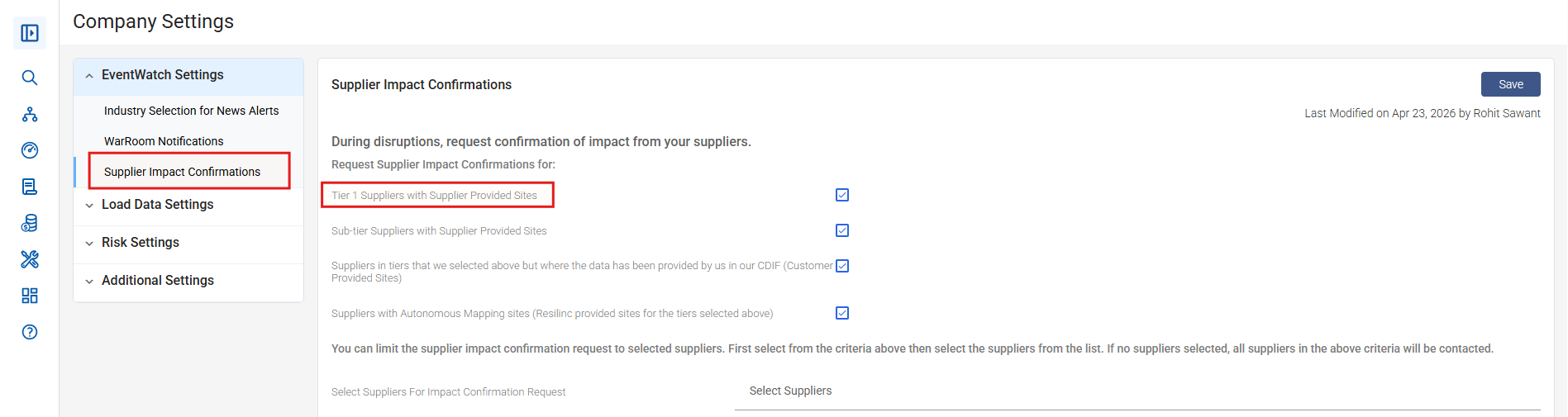
- If the 'Select Partners for Impact Confirmation Request' option is not visible on the settings page, it likely means that the 'Tier 1 Suppliers with Supplier Provided Sites' setting has not been enabled.
- To view this setting, ensure that 'Tier 1 Suppliers with Supplier Provided Sites' option is enabled because it’s an interdependent option. Please refer to the screenshot below for guidance:
Was this article helpful?
That’s Great!
Thank you for your feedback
Sorry! We couldn't be helpful
Thank you for your feedback
Feedback sent
We appreciate your effort and will try to fix the article