- If you are an admin and need to manage preferences or notification settings for other users, click Admin > Global Preferences menu from the left side bar.
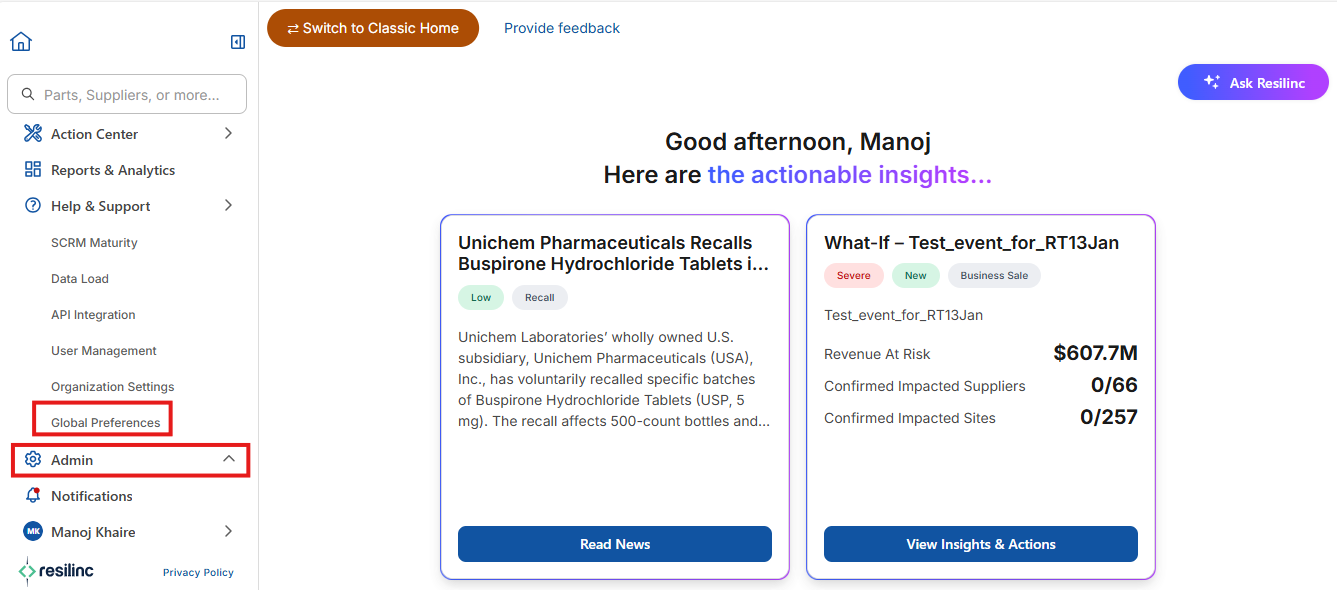
- This option lets you access and modify the preferences and notification settings of individual users or multiple users within your organization.
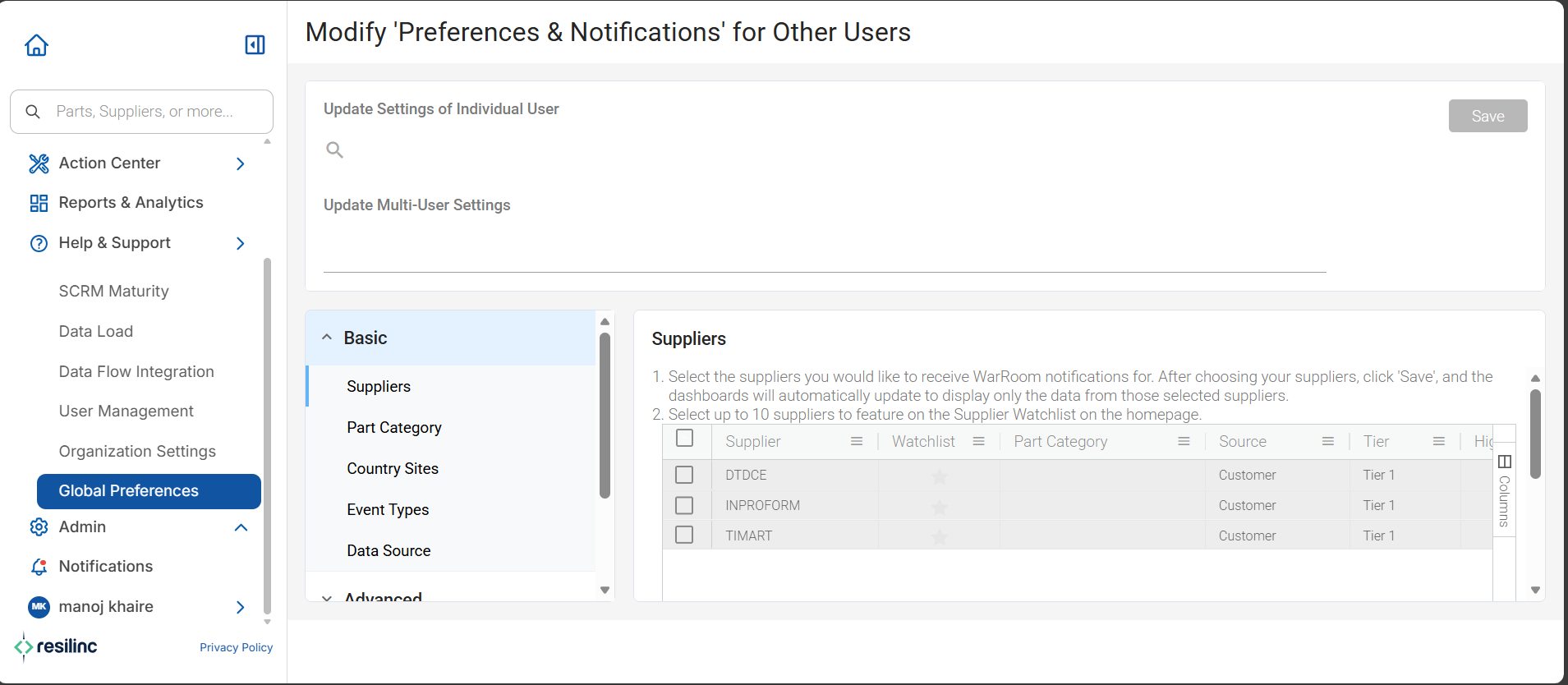
- After making changes, be sure to save them so they take effect for the selected users. This feature helps admins ensure that user settings are correctly configured for team needs.
Was this article helpful?
That’s Great!
Thank you for your feedback
Sorry! We couldn't be helpful
Thank you for your feedback
Feedback sent
We appreciate your effort and will try to fix the article