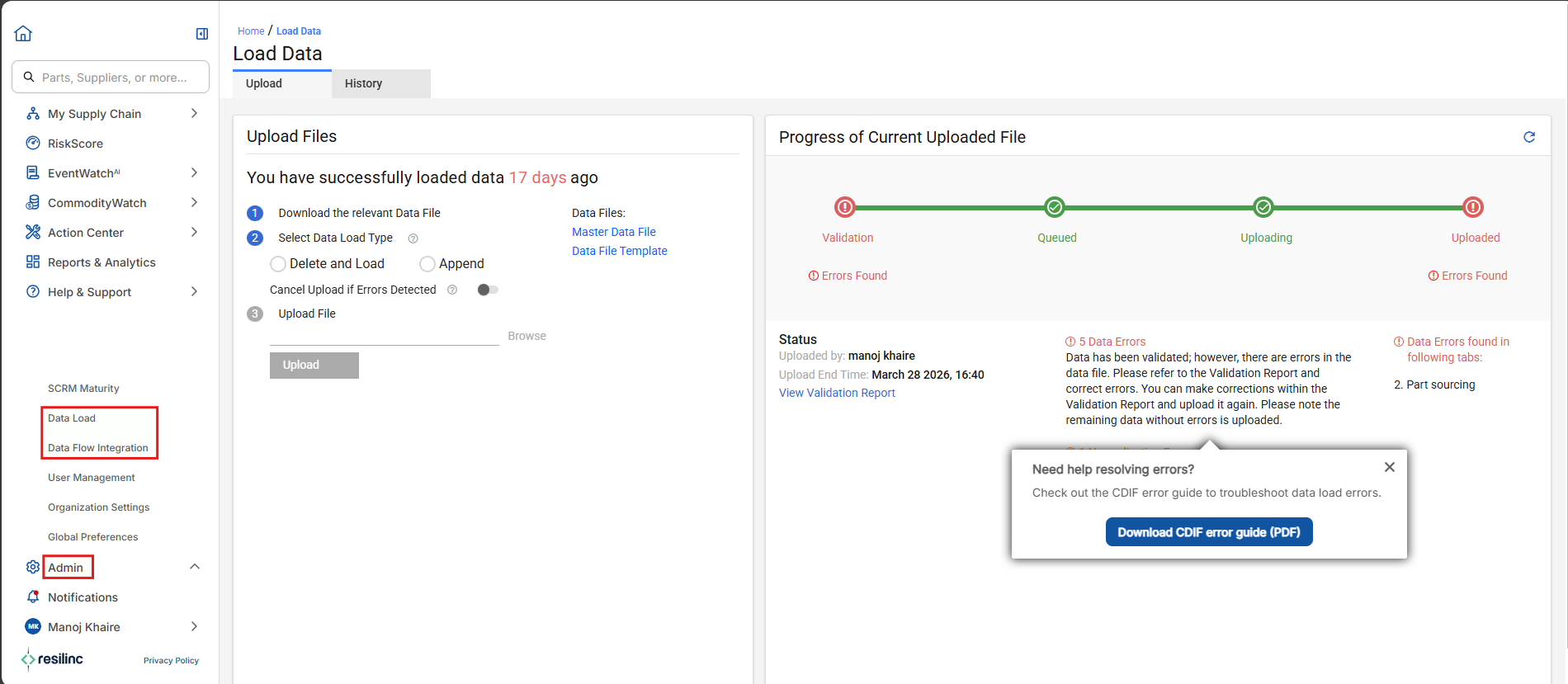
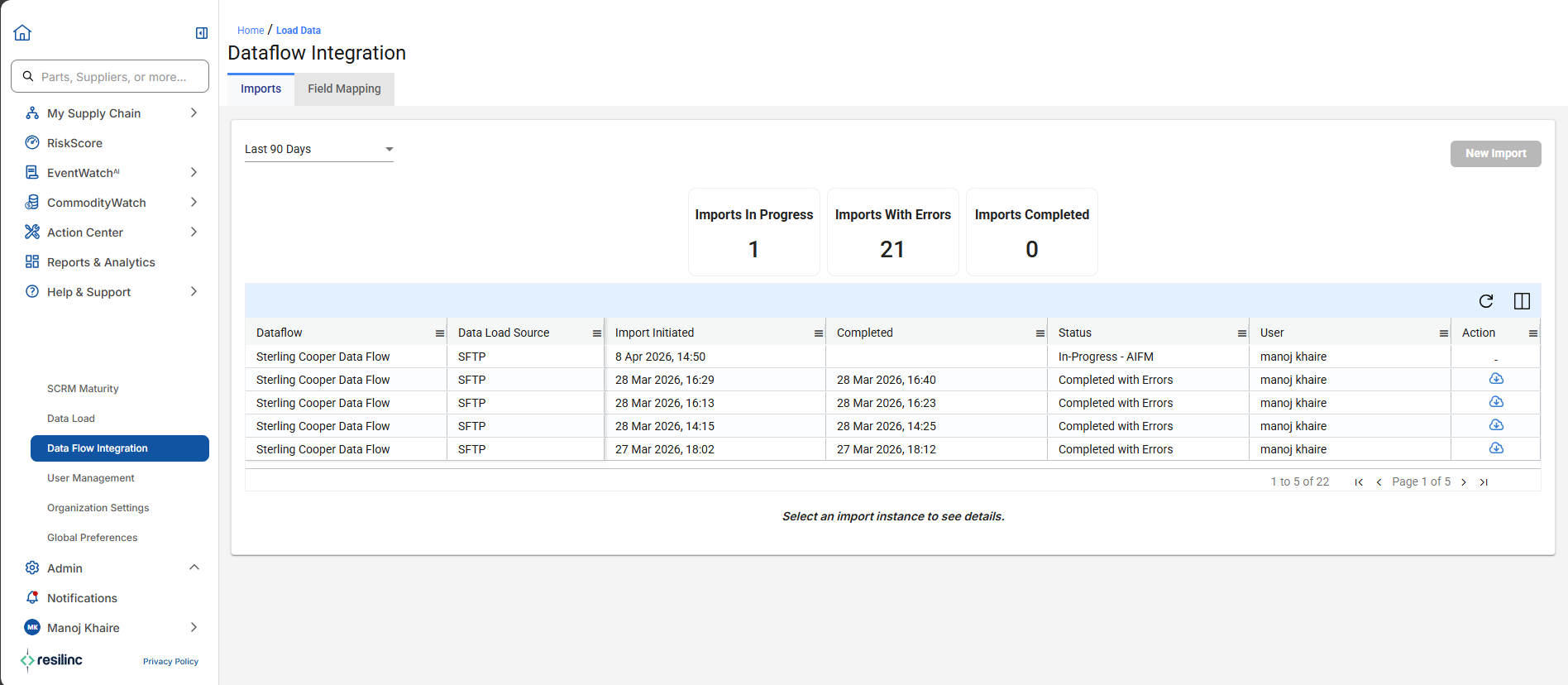
- To load or map data, go to the Administration menu in the left sidebar and select "Data Load" for uploading files and "Data Flow Integration" for integrating data using Dataflow Integration, or performing direct data entry (CDIF).
- The platform provides step-by-step progress tracking for file uploads, validation, and queue management. Additionally, you can view the status of your imports and access validation reports, making it easy to manage, track, and troubleshoot your data operations from one centralized location.
Was this article helpful?
That’s Great!
Thank you for your feedback
Sorry! We couldn't be helpful
Thank you for your feedback
Feedback sent
We appreciate your effort and will try to fix the article