- If you accidentally click the Delete button against a custom assessment template, it does not get deleted immediately. The system includes a confirmation step to prevent accidental removal.
- Below is a detailed explanation of how deletion works and how to verify the assessment status.
- How to Check If the Assessment Is Actually Deleted
- If the assessment still appears in the "MY Library" list, it has not been deleted. If the Delete button is active (not grayed out), it means the assessment:
- Still exists in your library
- Is eligible for deletion
- If you are able to launch the assessment, it is still fully active.
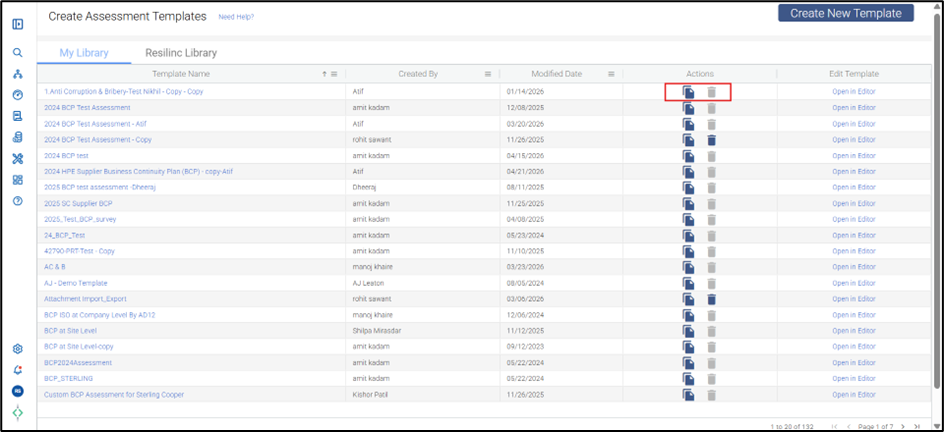
- An active Delete button does not mean the assessment has already been deleted.
- How the Deletion Process Works:
- The system uses a two-step confirmation process:
- Click the Delete button.
- A confirmation pop-up appears asking you to confirm the action.
- You must click OK to permanently delete the assessment.
- If you click Cancel or close the pop-up, the assessment remains unchanged.
- This safeguard ensures assessments are not removed accidentally with a single click.
- When an Assessment Cannot Be Deleted
Deletion is restricted in the following scenarios:
- Ownership Restriction
- You can only delete assessments created by you.Active Launch Restriction
- If the assessment has active launches, it cannot be deleted.
You must first:
- Go to the Track Assessment page
- Terminate all active launches
- Then proceed with deletion
Was this article helpful?
That’s Great!
Thank you for your feedback
Sorry! We couldn't be helpful
Thank you for your feedback
Feedback sent
We appreciate your effort and will try to fix the article