- To edit or change UDA settings from the Settings page, the user must have the required license assigned.
- The user must be assigned the Data Load (Collaborate) license.
- Only users with this license can:
- Edit UDA settings
- Modify existing configurations
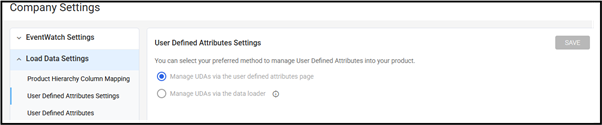
- If the user does not have this license:
- The system will not allow any changes
- The Settings page will be read-only
- The user can only view the currently selected UDA configuration
- The user can get in touch with the admin users within your organization or the Customer Success Manager to have this collaborator license assigned.
Was this article helpful?
That’s Great!
Thank you for your feedback
Sorry! We couldn't be helpful
Thank you for your feedback
Feedback sent
We appreciate your effort and will try to fix the article