- Yes. You can update your EU/Non-EU/China resident status at any time after completing your registration.
- To update your resident status:
- Log in to the Resilinc Portal.
- Open the Hamburger Menu and click your name.
- Navigate to Profile Settings.
- Click the Edit (pencil) icon.
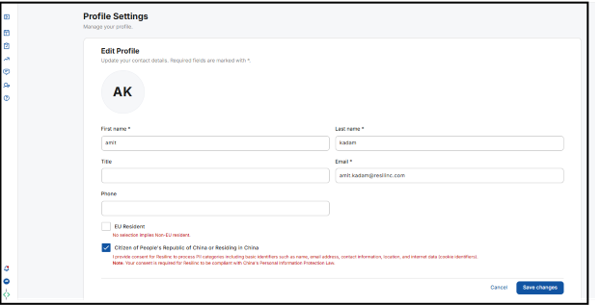
- Select the appropriate Resident option and click Save.
- Refer to the screenshot below.
Was this article helpful?
That’s Great!
Thank you for your feedback
Sorry! We couldn't be helpful
Thank you for your feedback
Feedback sent
We appreciate your effort and will try to fix the article