This error typically occurs if the supplier POC selects 'Not Impacted' during the first step of the response process.
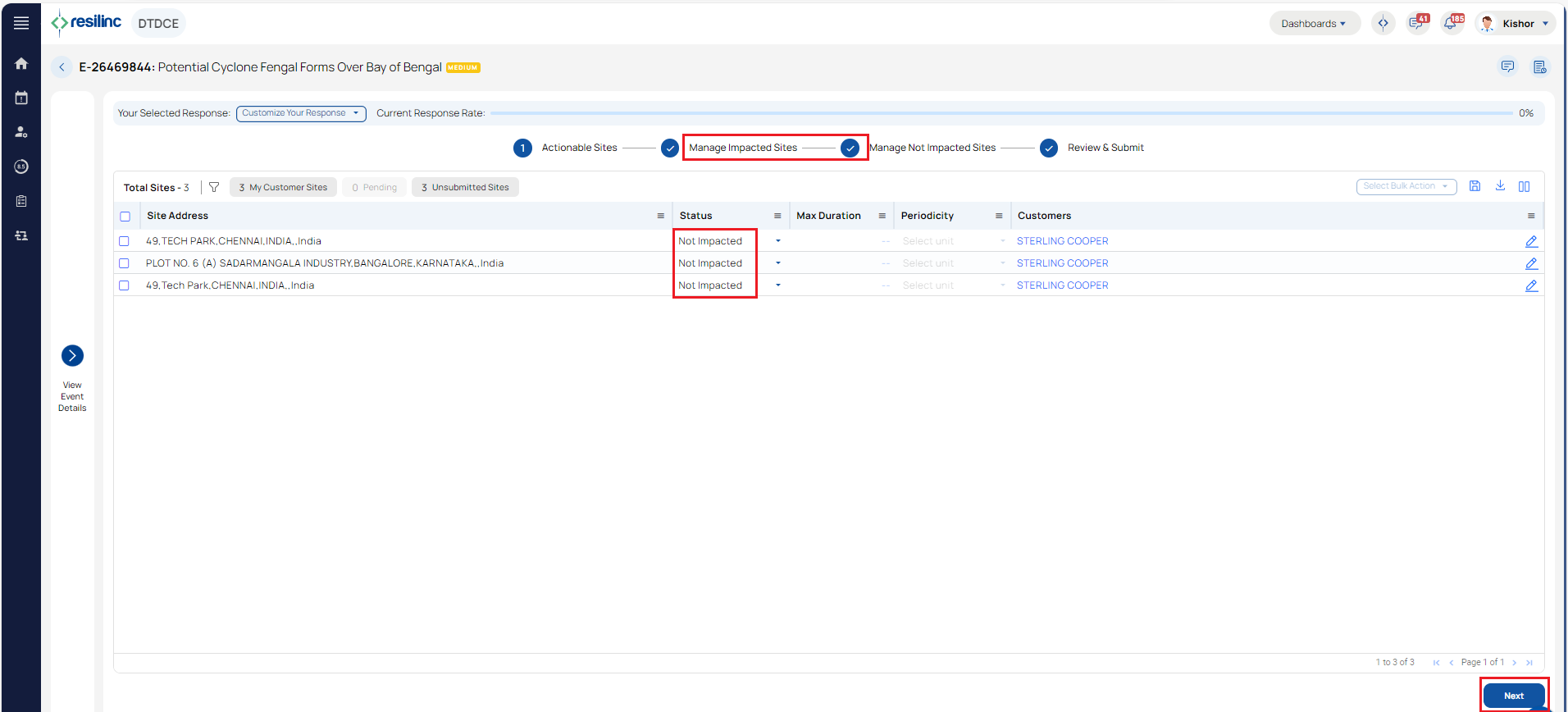
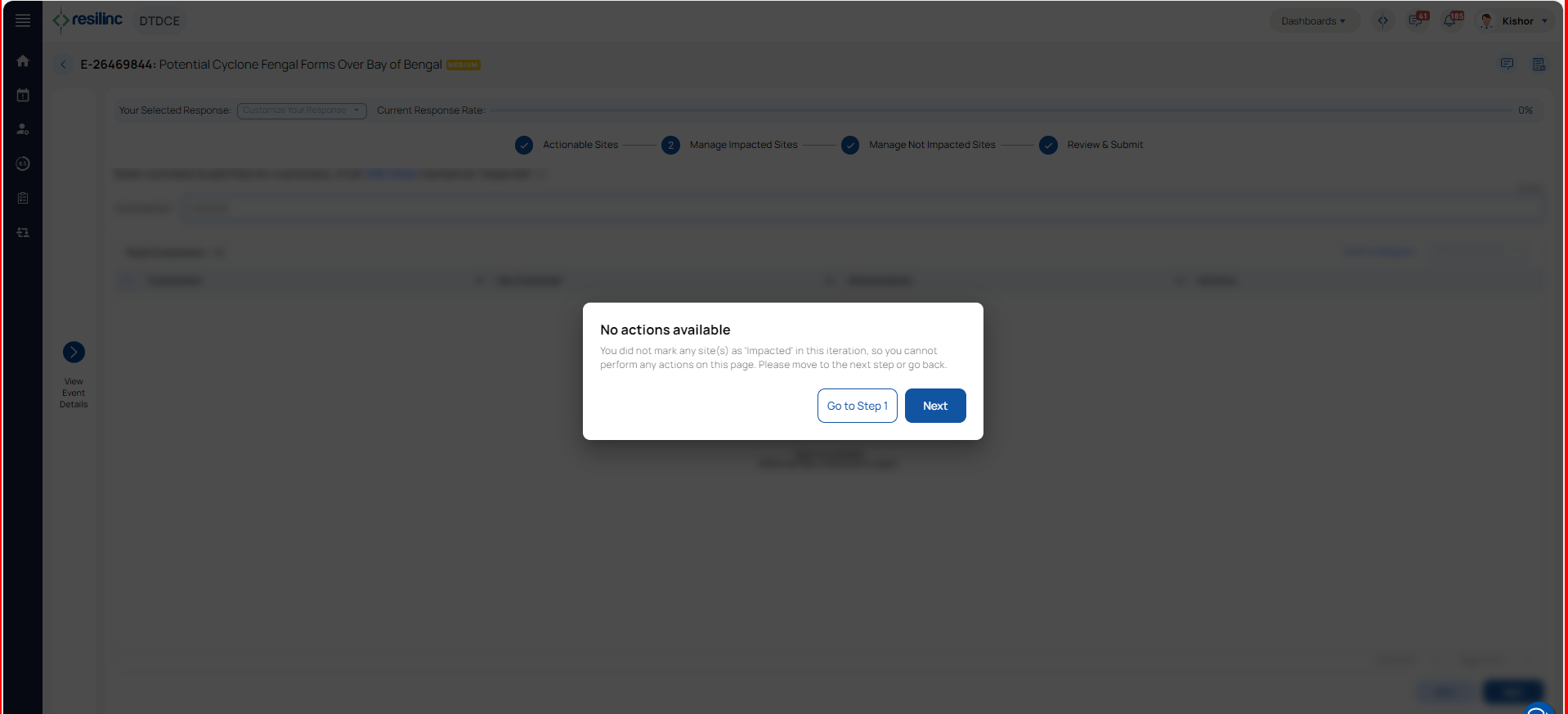
Here’s how the response flow works:
When the user selects 'Impacted' for any sites listed in the WarRoom, they can proceed to the second step to provide further impact details.
However, if 'Not Impacted' is selected, the system skips the second step, and the user is taken directly to step 3. At this stage, they can add comments or attach files if needed.
To resolve this, ensure that the appropriate impact status is selected for each site. Selecting 'Impacted' will allow access to the second step of the response process.
Was this article helpful?
That’s Great!
Thank you for your feedback
Sorry! We couldn't be helpful
Thank you for your feedback
Feedback sent
We appreciate your effort and will try to fix the article