The Response Summary section in the Resilinc portal provides a consolidated view of supplier and site-level responses to supply chain disruption events. It is a key page for tracking event impact, supplier engagement, and overall response effectiveness.
Navigation Path:
Hamburger Menu→ EventWatch → WarRoom → Response Summary Page
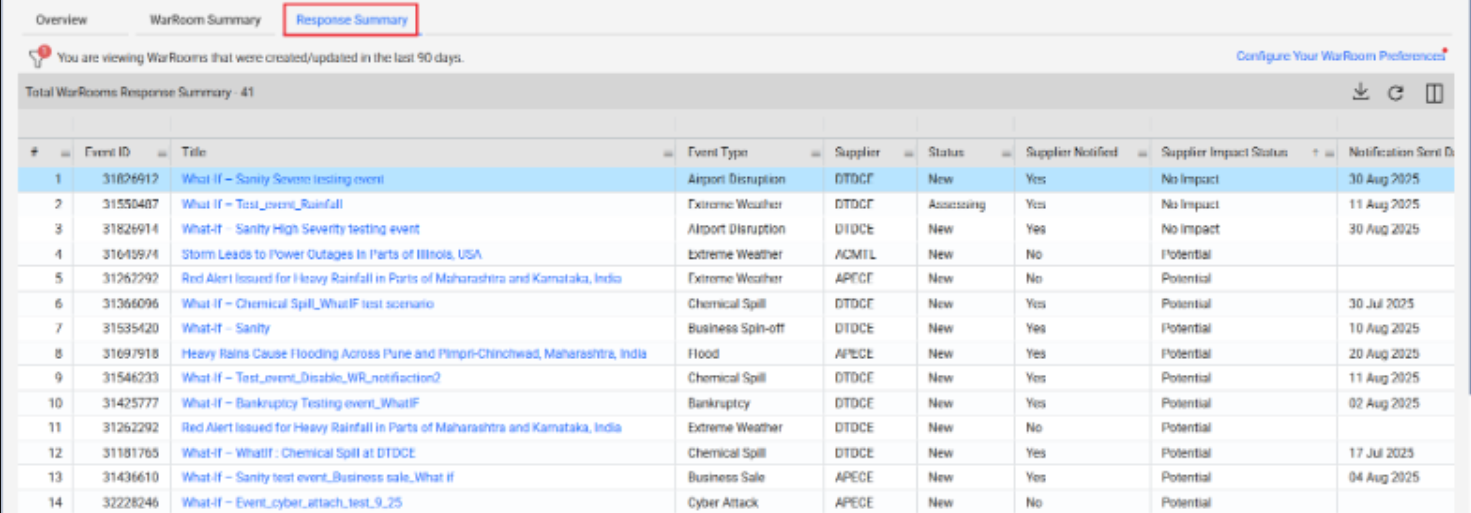
Key Features of WarRoom Response Summary:
Event Summary Data
Each row on the WarRoom Summary page includes:
Event Summar Data | One-Line Description |
Event ID & Title | Displays a unique identifier and brief name for each disruption event. |
Description & Creation Time | Provides a short summary of the event along with the date and time it was created. |
Severity & Event Type | Indicates the criticality of the event and categorizes it (e.g., Extreme Weather, Labor Disruption). |
WarRoom Last Updated Date | Shows the most recent date and time when any updates were made to the WarRoom. |
Event Status | Reflects the current state of the event, such as New, In Progress, or Resolved. |
The portal allows users to monitor supplier responses and site impacts for each disruption:
Column | One-Line Description |
Supplier Name | Shows the name of the supplier associated with the impacted site or part. |
Part Category | Identifies the category or type of part affected by the event. |
Country (Site Location) | Displays the country where the impacted supplier site is located. |
Impact Status: Confirmed Impact or No Impact | Indicates whether the supplier has confirmed an impact or reported no disruption. |
Supplier Response Rate | Reflects the percentage of suppliers who have responded to the disruption event. |
Number of Sites Pending Response | Shows how many supplier sites have yet to respond to the event inquiry. |
Number of Sites with Confirmed Impact | Displays the count of supplier sites that have confirmed being impacted. |
Attachments and UDA Tags | Lists relevant files and user-defined tags for additional context and classification. |
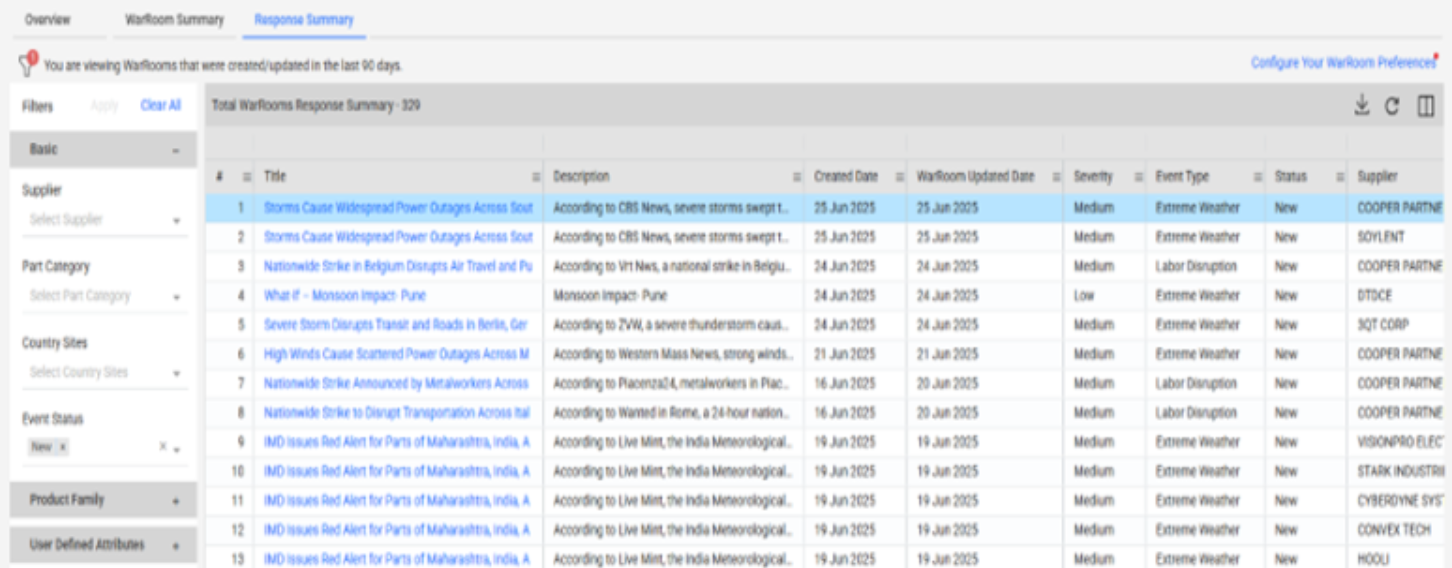
Dynamic Filtering Options
You can filter the WarRoom list using the following attributes:
Filter Option | One-Line Description |
Supplier | Allows filtering events based on specific supplier names involved in disruptions. |
Part Category | Enables users to narrow down events related to particular categories of parts. |
Country Sites | Filters events by the geographic location of the impacted supplier sites. |
Event Status (e.g., New, In Progress, Resolved) | Lets users view events based on their current status or progress stage. |
User Defined Attributes (UDA) | Provides customized filtering using user-specific tags or metadata fields. |
This helps narrow down critical events based on Supplier responsibilities or regional focus.
WarRoom Preferences & Configuration
Clicking on “Configure WarRoom Preferences” redirects users to the Settings Page, which includes:
➤ Advanced Filtering Configuration
Users can set default filters based on:
Advanced Filter | One-Line Description |
Supplier | Set default filters to display WarRoom data only for selected suppliers. |
Part Category | Predefine part categories to focus on relevant components in event tracking. |
Country Sites | Restrict view to events impacting supplier sites in specific countries. |
Event Types | Filter notifications and summaries to include only selected types of disruption events. |
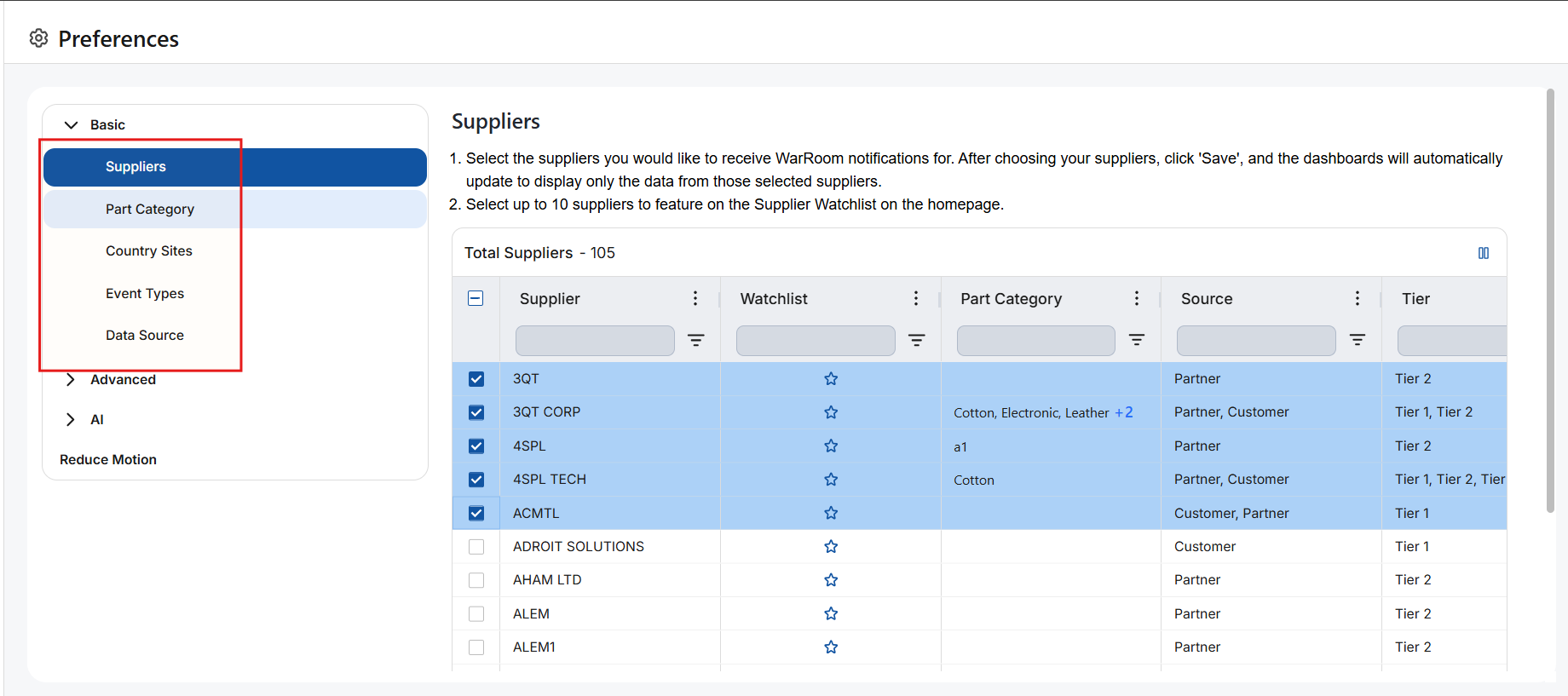
These preferences tailor the WarRoom summary view based on each user’s role or area of interest.
Conclusion
The Response Summary page is a real-time operational tool essential for tracking supplier engagement during disruptions. When combined with configurable preferences and filters, it enables teams to triage and act on risk more efficiently and proactively.
Was this article helpful?
That’s Great!
Thank you for your feedback
Sorry! We couldn't be helpful
Thank you for your feedback
Feedback sent
We appreciate your effort and will try to fix the article