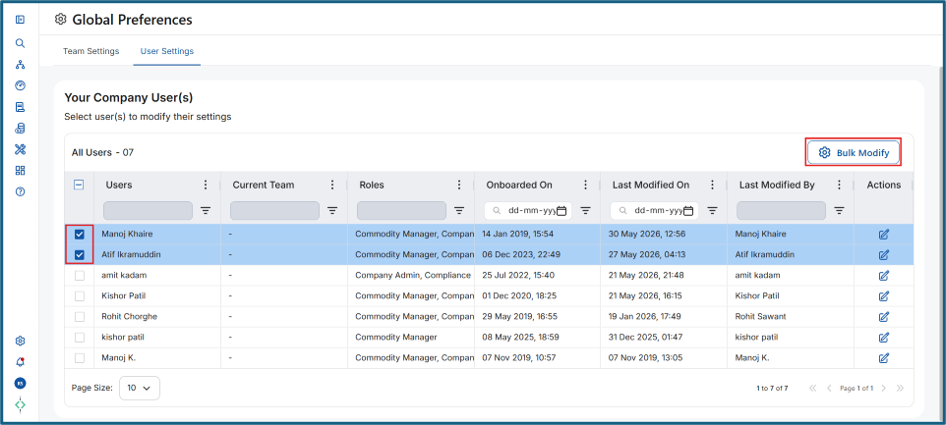
- The Bulk Modify button remains grayed out until at least one user is selected from the Your Company User(s) table. Even if User Settings is enabled for your account, the Bulk Modify option will only become active after selecting one or more users.
Steps to use Bulk Modify:
- Navigate to Global Preferences > User Settings.
- In the Your Company User(s) table, locate the checkbox column on the left.
- Select the checkbox next to one or more users you want to modify.
- Once at least one user is selected, the Bulk Modify button will become active and available for use.
Was this article helpful?
That’s Great!
Thank you for your feedback
Sorry! We couldn't be helpful
Thank you for your feedback
Feedback sent
We appreciate your effort and will try to fix the article