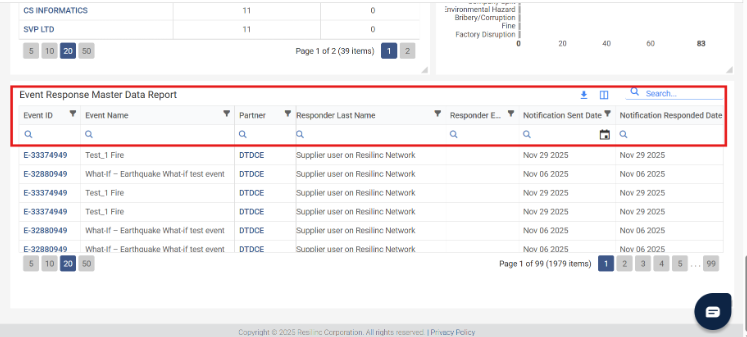
1. Through the Portal – Eventwatch Response KPI: Event Response Master Data Report.
- Navigate to the Eventwatch Response KPI section in the portal.
- Use the Event Response Master Data report to view response statuses for each supplier.
2. Through Email Notifications
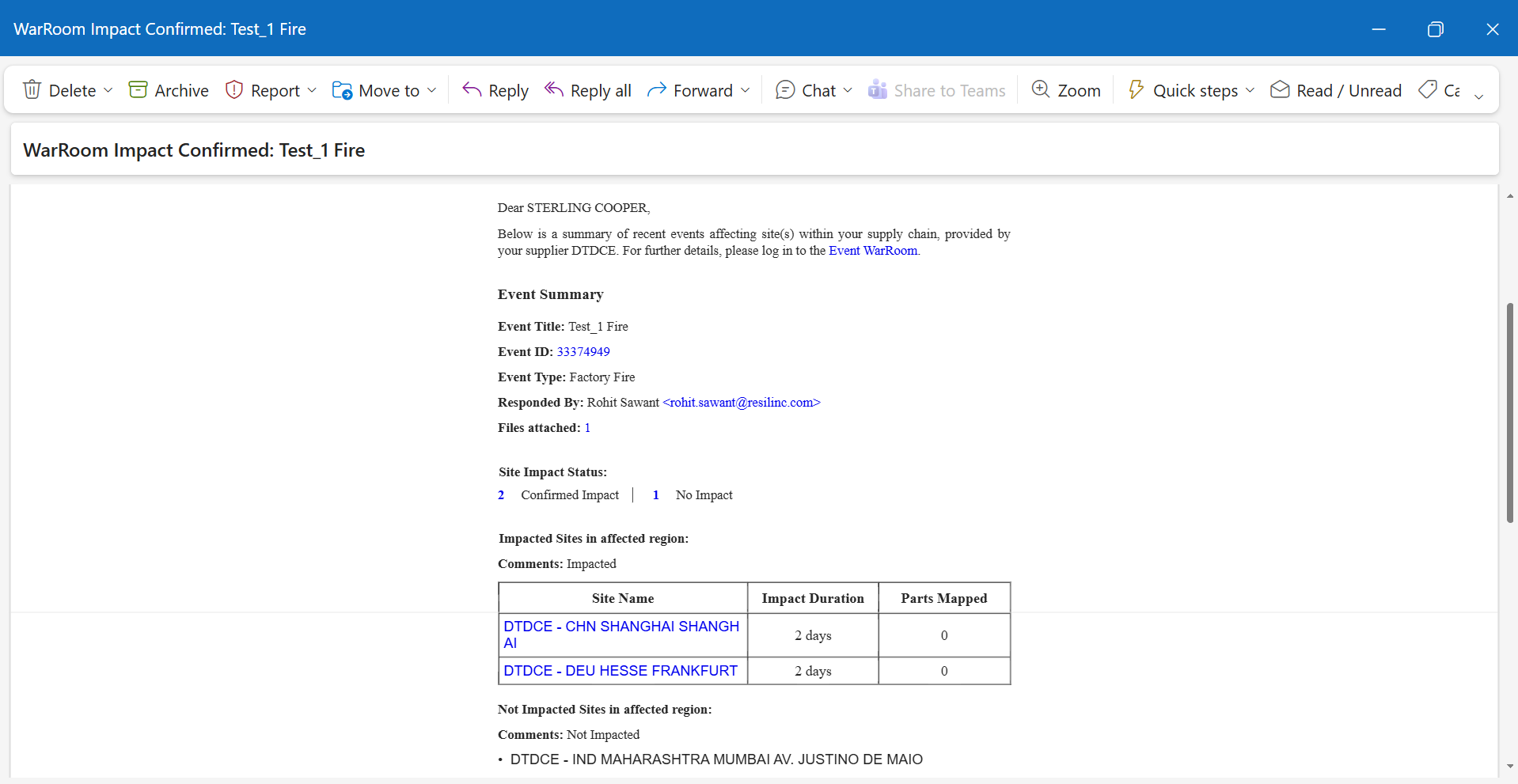
- When a supplier responds to an Impact Confirmation request, the system sends an additional email to the customer user.
- The email subject line indicates the nature of the response:
- If all sites are impacted:
"WarRoom Impact Confirmed: [Event Title]" - If no sites are impacted:
"WarRoom No Impact: [Event Title]" - These emails are sent for each individual supplier response, allowing you to monitor replies as they happen.
Was this article helpful?
That’s Great!
Thank you for your feedback
Sorry! We couldn't be helpful
Thank you for your feedback
Feedback sent
We appreciate your effort and will try to fix the article