Enabling DFI on your portal is handled by your Resilinc implementation contact. Here is what happens step by step:
- Your Resilinc contact raises a request to the Resilinc Support team to activate the Dataflow Integration module on your specific portal.
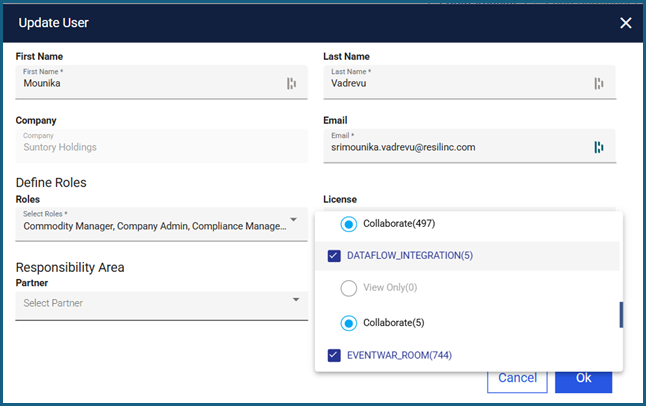
- Once Support confirms that the module is enabled, your Resilinc contact assigns the "Dataflow Integration" license to the appropriate users within your organization via the "Manage Users" page.
- Once the license is assigned, those users will see "Dataflow Integration" as a new option in the left navigation menu of the portal, under the "Load Data" section.
Note: If you are an existing customer with an active production portal that already has your supply chain data loaded, your Resilinc contact will typically set up a separate test portal first (for example, "Your Company DFI Test") to validate the setup without affecting your live data.
Was this article helpful?
That’s Great!
Thank you for your feedback
Sorry! We couldn't be helpful
Thank you for your feedback
Feedback sent
We appreciate your effort and will try to fix the article