- Your Resilinc contact raises a request to the Resilinc infrastructure team to create a dedicated SFTP folder for your organization.
- Once created, the credentials are shared with your Resilinc contact, who forwards them to your authorized data team members only.
- The credentials you will receive are:
- Host: sftp.resilinc.com
- Port: 2345
- Username: (unique to your organization)
- Password: (unique to your organization)
- Use any standard FTP client (such as WinSCP, FileZilla, or equivalent) installed on your computer to connect to the SFTP using these credentials.
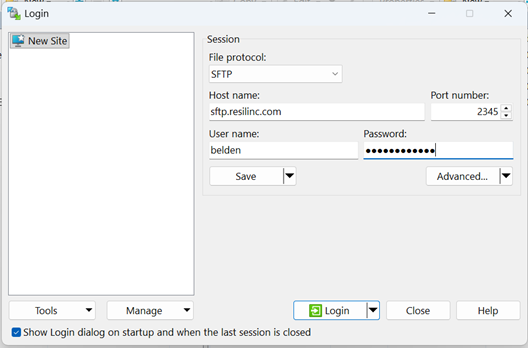
- Once logged in, navigate to the "dataflow_integration" folder. Inside, you will find two sub-folders: "delete_and_load" and "append." Place your files in the appropriate folder before starting an import.
Note: Each customer organization is provided with a single set of SFTP credentials shared among all authorized data team members. There are no individual logins per user.
Was this article helpful?
That’s Great!
Thank you for your feedback
Sorry! We couldn't be helpful
Thank you for your feedback
Feedback sent
We appreciate your effort and will try to fix the article