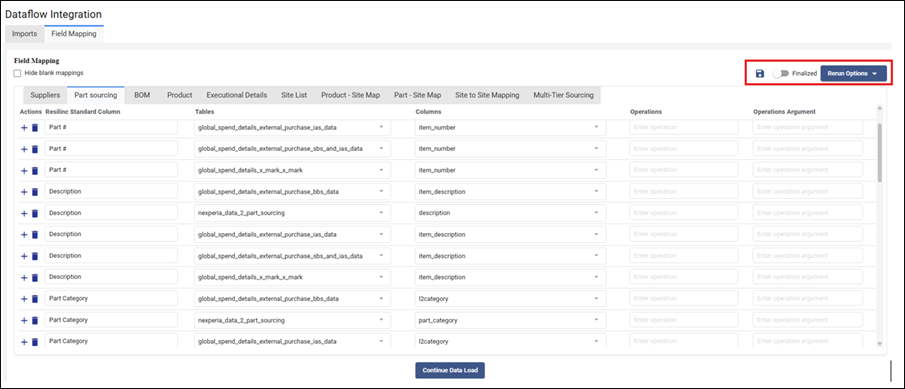
- The "Finalized" toggle in the Field Mapping tab is the switch that unlocks fully autonomous data loading for your organization.
- Here is how it works in practice:
- During the initial setup and testing phase, your Resilinc contact uses the "Save" option to store the mapping while still retaining the ability to review and revise it.
- Once both you and your Resilinc contact have confirmed that the field mapping is correct and your source file format is stable, the "Finalized" toggle is turned on.
- From that point forward, every time you place new source files in the SFTP folder and click "New Import," the system automatically applies the finalized mapping and moves directly to data validation and upload, without requiring your Resilinc contact to revisit the Field Mapping tab.
- This makes DFI a true self-service process after the initial setup is complete.
- Important recommendation: To maintain the benefit of finalized mapping, keep your source file names and column structures consistent across all future uploads. Any change in the file structure (new columns, renamed headers, or different tab names) would require the mapping to be reviewed and re-saved before the "Finalized" toggle can be turned back on.
Was this article helpful?
That’s Great!
Thank you for your feedback
Sorry! We couldn't be helpful
Thank you for your feedback
Feedback sent
We appreciate your effort and will try to fix the article