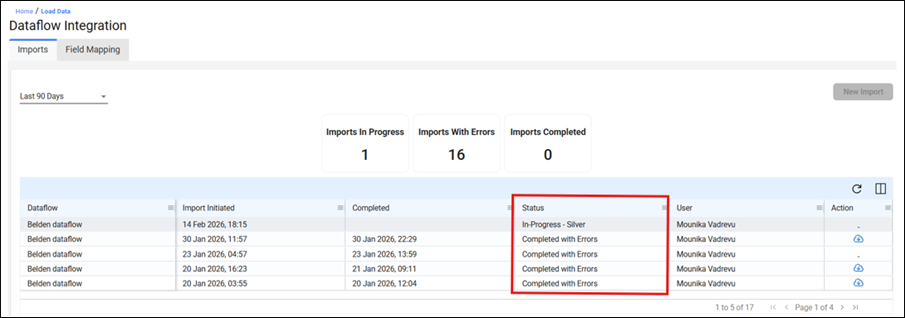
As your data moves through the DFI pipeline, the "Status" column in the Imports tab will display the following labels:
- In Progress - Bronze layer: Your files are being securely imported from the SFTP into the platform.
- In Progress - AIFM: Files have been imported and are awaiting AI Field Mapping review by your Resilinc contact.
- In Progress - NN: The system is performing the Supplier Name Normalization check on your data.
- In Progress - Silver layer: Automated data validation is running, checking for errors and warnings across all mapped fields.
- Load Queued: Validation is complete and your data is in the queue waiting to be uploaded (this occurs when another load is processing ahead of yours).
- Load Started: Your data is actively being uploaded to the Resilinc portal.
- Completed Successfully: All records from your source files have been uploaded and are now visible in your portal (suppliers, sites, parts, etc.).
- Completed with Errors: The load finished, but some records were withheld due to data errors. All other valid records were uploaded. An email notification will be sent, and you can download the error report from the Action column.
Was this article helpful?
That’s Great!
Thank you for your feedback
Sorry! We couldn't be helpful
Thank you for your feedback
Feedback sent
We appreciate your effort and will try to fix the article